If you do not see 1440 x 900 as an option, you may need to update your graphics driver. Depending on your computer, complete one of the following
procedures.
If you have a Dell desktop or portable computer:
¡ Go to support.dell.com, enter your service tag, and download the latest driver for your graphics card.
If you are using a non-Dell computer (portable or desktop):
¡ Go to the support site for your computer and download the latest graphic drivers.
¡ Go to your graphics card website and download the latest graphic drivers.
Using the Dell Soundbar (Optional)
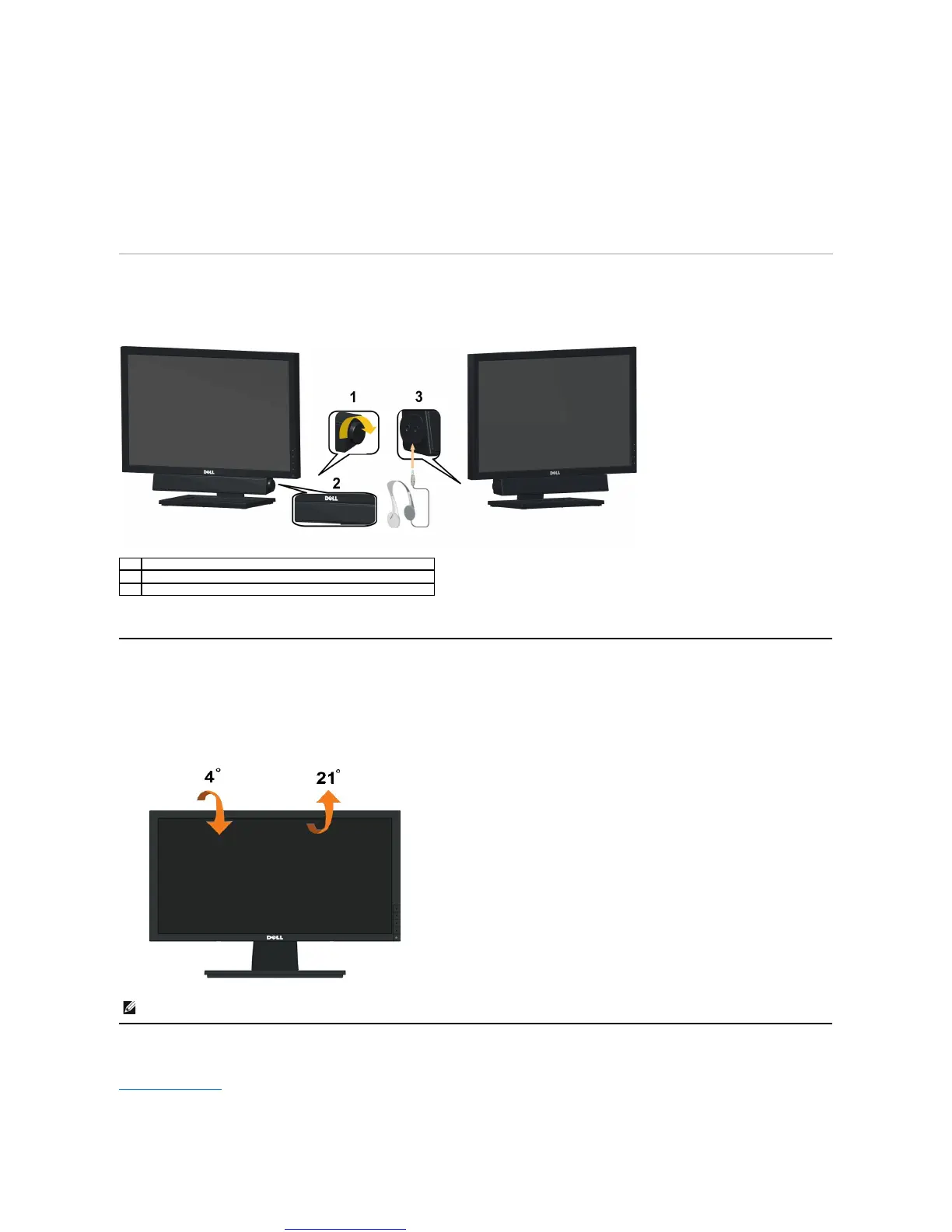
The Dell soundbar is a stereo two channel system, mountable on Dell Flat Panel Displays. The soundbar has a rotary volume and on/off control to adjust the
overall system level, a LED for power indication, and two audio headset jacks.
Using the Tilt
Tilt
With the built-in pedestal, you can tilt the monitor for the most comfortable viewing angle.
Back to Contents Page



 To Next Page