Great user manuals database on UserManuals.info
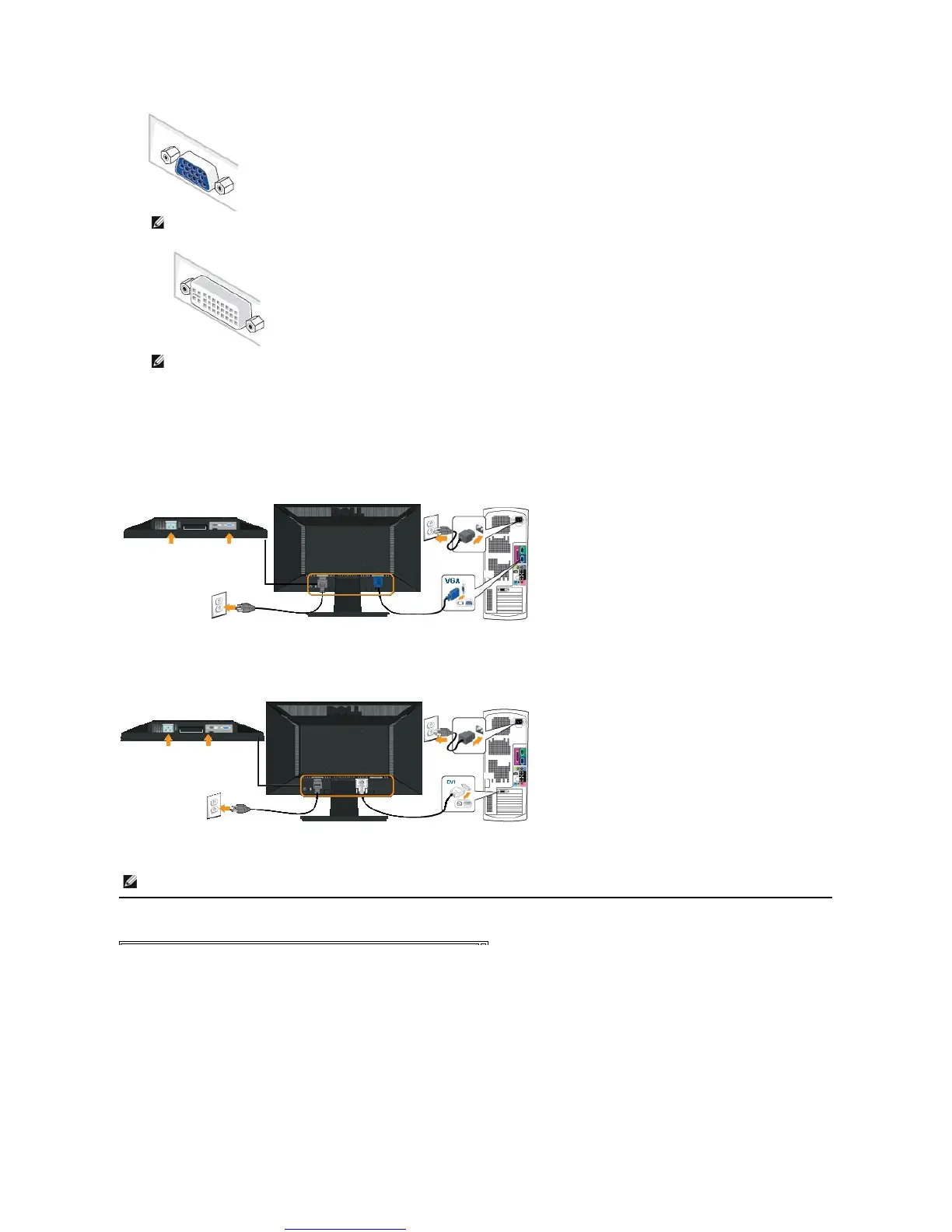
2. Connect either the white (digital DVI-D) or the blue (analog VGA) display connector cable to the corresponding video port on the back of your
computer.Donotusebothcablesonthesamecomputer.Useboththecablesonlywhentheyareconnectedtotwodifferentcomputerswith
appropriate video systems.
Connecting the Blue VGA Cable
Connecting the white DVI cable
Removing the Stand Base
NOTE:If your computer supports a white DVI connector, connect the white DVI cable (that ships with your monitor) from your
monitor to your computer.
NOTE:Do not connect both the blue VGA and the white DVI cables to the computer as all monitors ship with the VGA cable attached
to the monitor.
CAUTION: The graphics are used for the purpose of illustration only. Appearance on the computer may vary.



 To Next Page