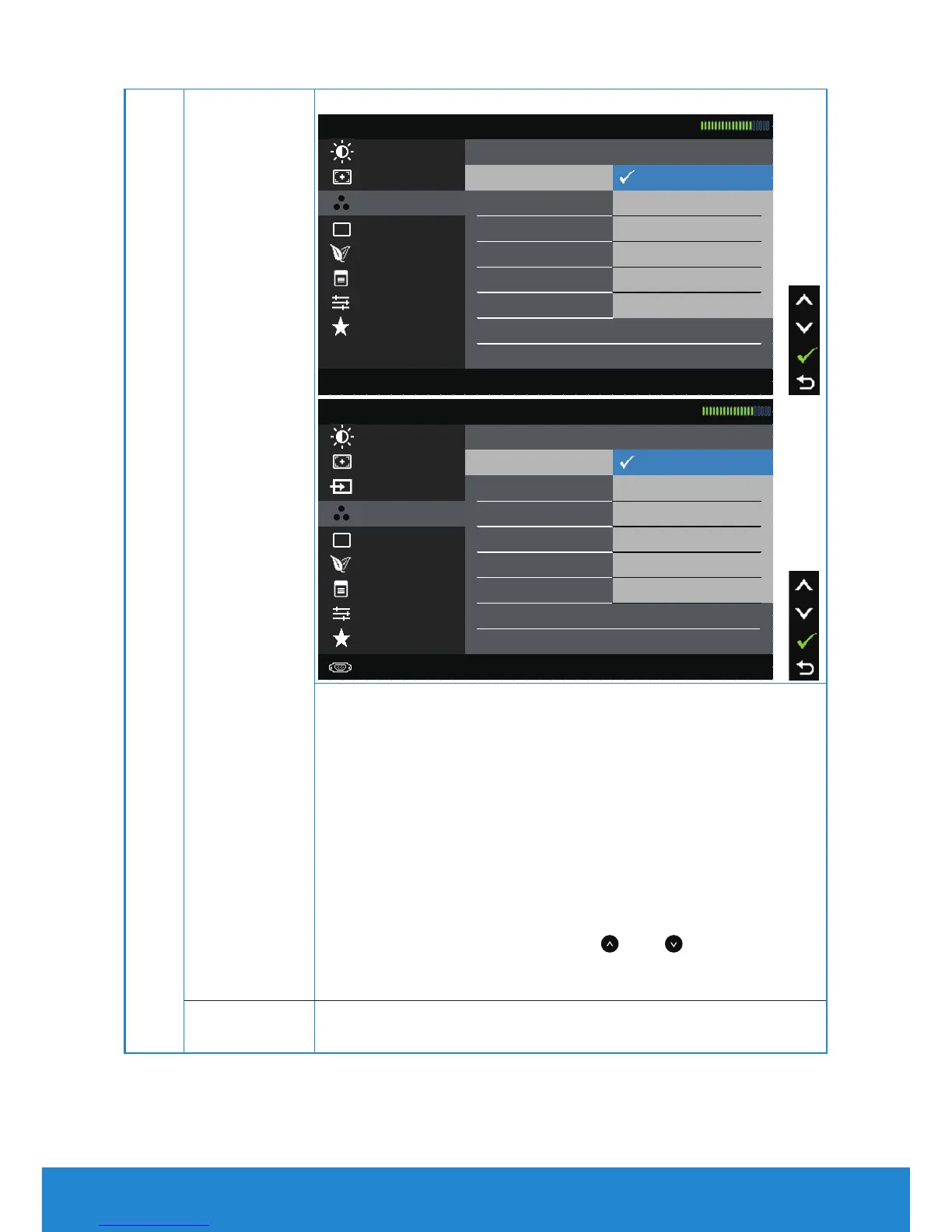
Preset Modes Allows you to choose from a list of preset color modes.
Color Settings Reset Color Settings Multimedia
Auto Adjust Preset Modes Standard
Dell E1914H Energy Use
Brightness / Contrast Input Color Format
Warm
Menu Settings Cool
Energy Settings
Display Settings Text
Custom Color Other Settings
Personalize
Resolution: 1024x768, 60Hz Maximum Resolution: 1366x768, 60Hz
Input Source Reset Color Settings Multimedia
Auto Adjust Preset Modes Standard
Dell E2014H Energy Use
Brightness / Contrast Input Color Format
Energy Settings
Display Settings
Color Settings
Other Settings
Menu Settings
Personalize
Resolution: 1024x768, 60Hz Maximum Resolution: 1600x900, 60Hz
Text
Custom Color
Warm
Cool
• Standard: Loads the monitor's default color
settings. This is the default preset mode.
• Multimedia: Loads color settings ideal for
multimedia applications.
• Text: Loads color settings ideal for office
environment.
• Warm: Increases the color temperature. The
screen appears warmer with a red/yellow tint.
• Cool: Decreases the color temperature. The
screen appears cooler with a blue tint.
• Custom Color: Allows you to manually adjust the
color settings. Press the
and
keys to adjust
the Red, Green, and Blue values and create your
own preset color mode.
Reset Color
Settings
Resets your monitor's color settings to the factory defaults.
36 Operating the Monitor



 To Next Page