EasyManua.ls Logo

Dell E198FP - Page 29

Dell E198FP
35 pages
Print Icon
To Next Page IconTo Next Page
To Previous Page IconTo Previous Page
Loading...

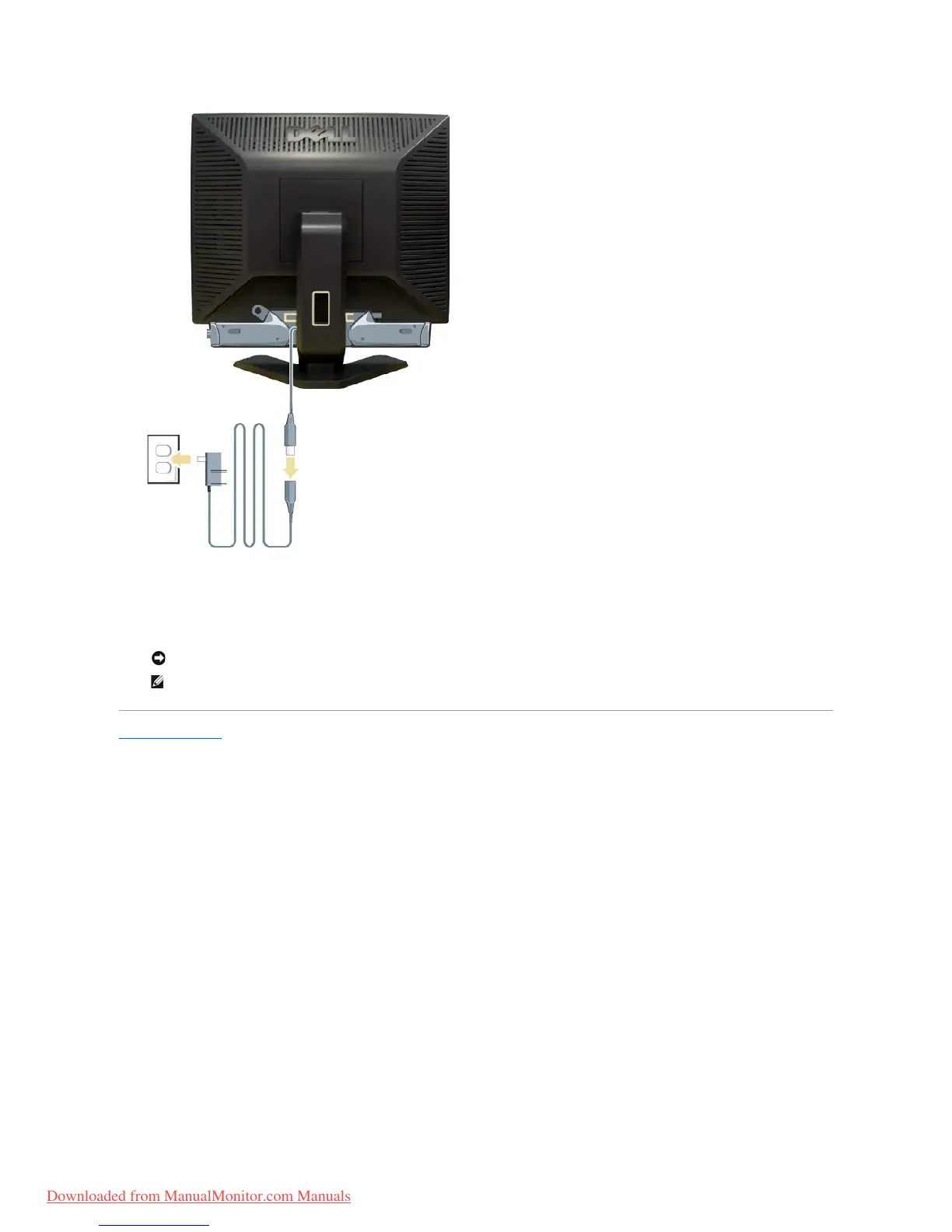
1. Workingfromtherearofthemonitor,attachSoundbarbyaligningthetwoslotswiththetwotabsalongthebottomrearofthemonitor.
2. SlidetheSoundbartotheleftuntilitsnapsintotheplace.
3. Connect the Soundbar with the power brick.
4. Plugthepowercablesofthepowerbrickintoanearbyoutlet.
5. Insert the lime green mini stereo plug from the rear of the Soundbar into the computer's audio output jack.
Back to Contents Page

NOTICE: Do not use with any device other than Dell Soundbar.
NOTE: Soundbar Power Connector - 12V DC output is for optional Dell Soundbar only.
Downloaded from ManualMonitor.com Manuals

Other manuals for Dell E198FP

Related product manuals