If you have a Dell desktop or portable computer:
Go to support.dell.com, enter your service tag, and download the latest driver for your graphics card.
If you are using a non-Dell computer (portable or desktop):
Go to the support site for your computer and download the latest graphic drivers.
Go to your graphics card website and download the latest graphic drivers.
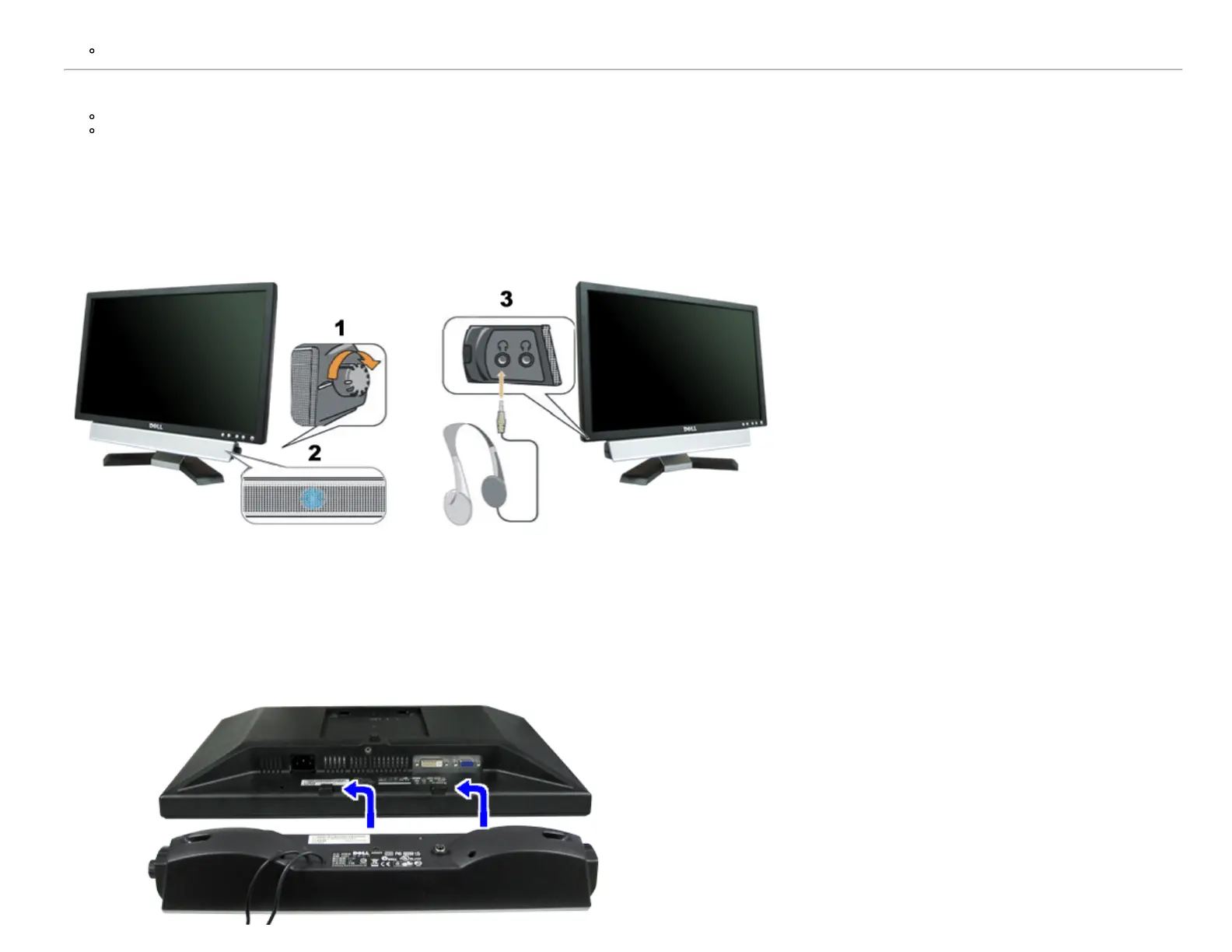
Using the Dell Soundbar (Optional)
The Dell Soundbar is a stereo two channel system adaptable to mount on Dell Flat Panel Displays. The Soundbar has a rotary volume and on/off control to adjust the overall system
level, a blue LED for power indication, and two audio headset jacks.
1. Power/volume control
2. Power indicator
3. Headphone connectors
Soundbar Attachment to the Monitor



 To Next Page