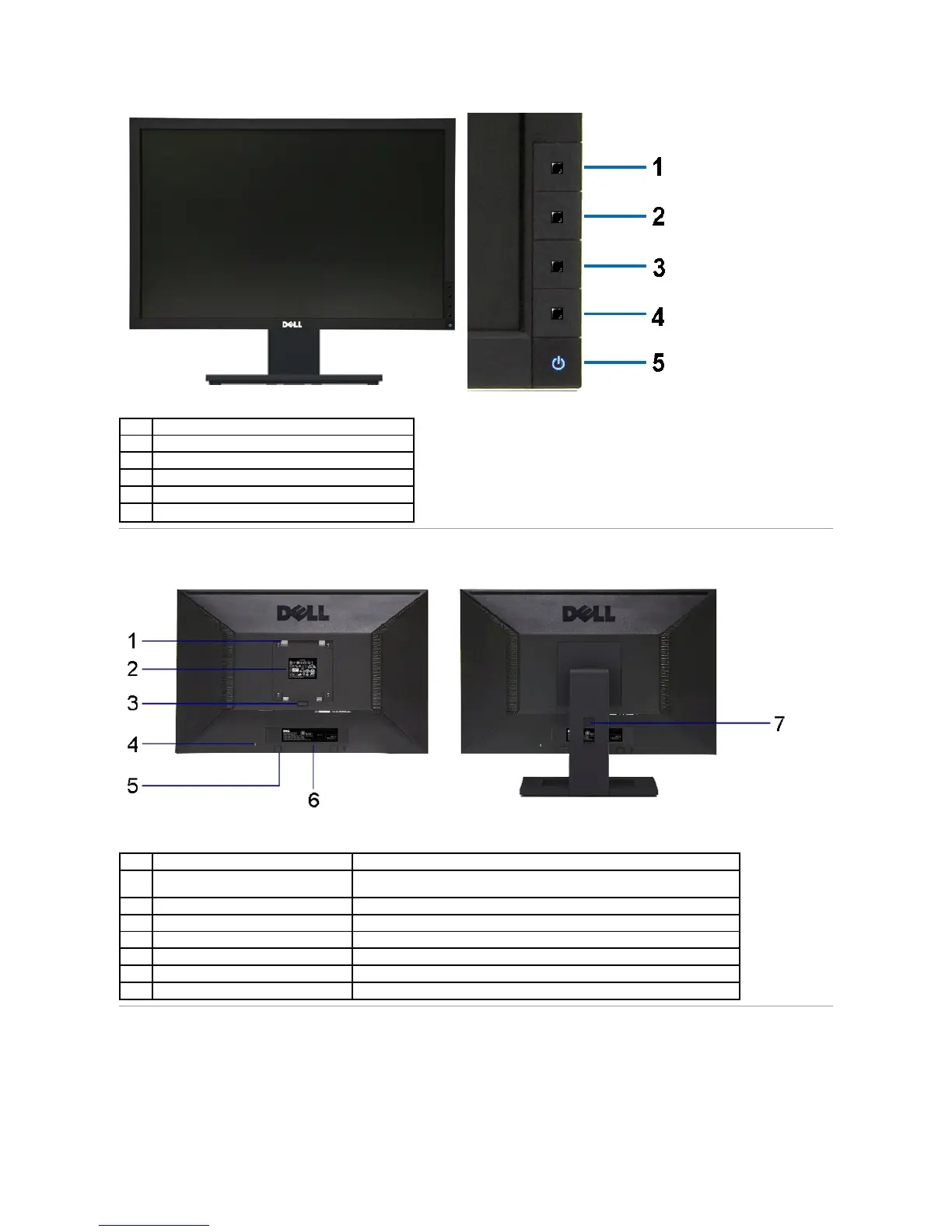
Preset Modes (default, but configurable)
Brightness & Contrast (default, but configurable)
Power button (with power light indicator)
Back view with monitor stand
VESA mounting holes (100 mm x 100 mm -
behind attached VESA Plate)
Wall mount monitor using VESA-compatible wall mount kit (100 mm x 100 mm).
Lists the regulatory approvals.
Release stand from monitor.
Secures monitor with security cable lock.
Dell Soundbar mounting brackets
Attaches the optional Dell Soundbar.
Barcode serial number label
Refer to this label if you need to contact Dell for technical support.
Use to organize cables by placing them through the slot.



 To Next Page