22"LCD Color Monitor Dell E228WFPc
21
When bright area in a sub-pixel(red or blue) exceed half size of a sub-pixel, that sub-pixel can be counted as a
bright dot.
When bright area in a sub-pixel(green) exceed a third size of a sub-pixel, that sub-pixel can be counted as a bright
dot.
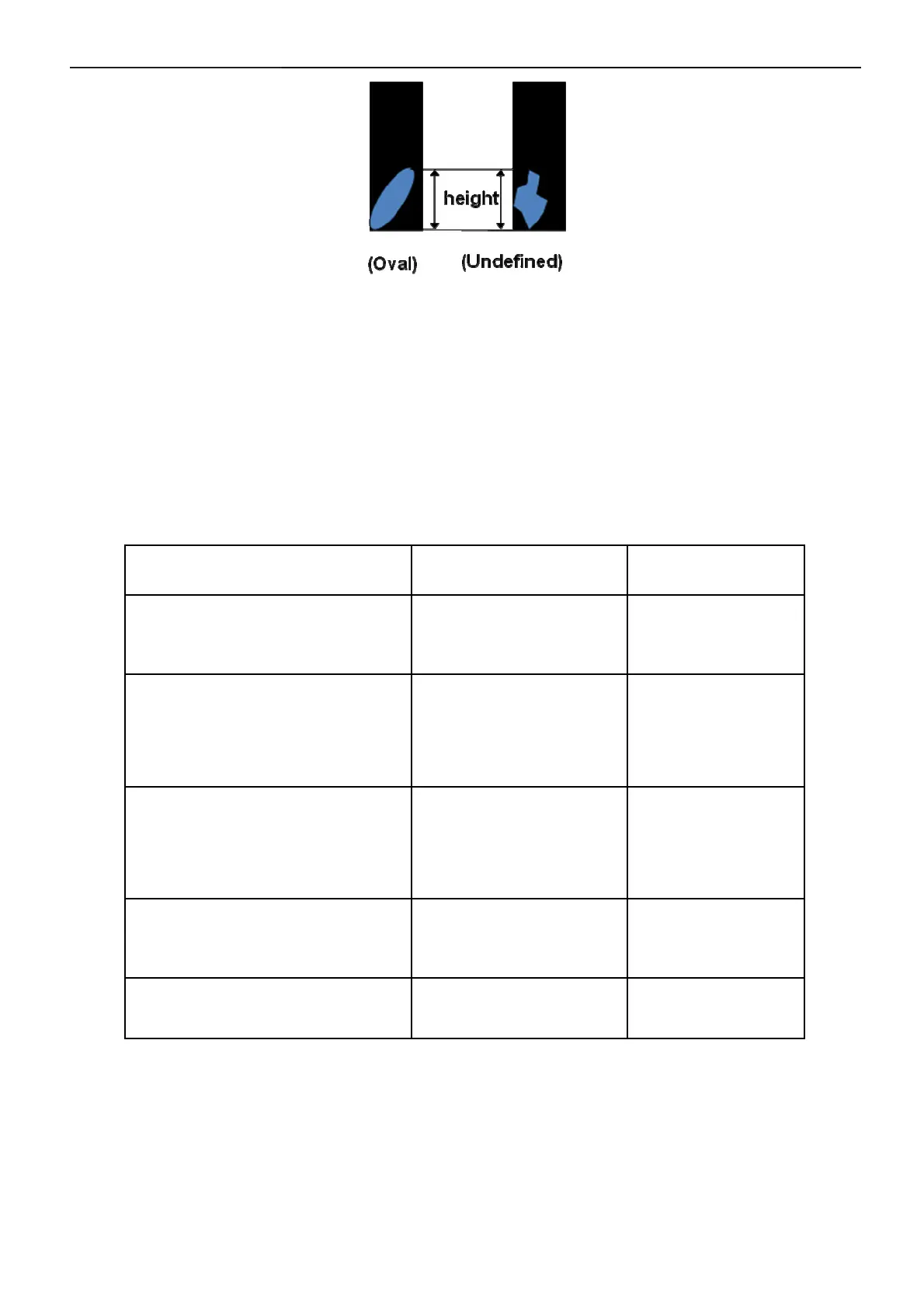
Oval and undefined shape of Partial dot is defined as height of dot.
When bright area in a sub-pixel (R, B) is under 20% of a sub-pixel, that sub-pixel can be ignored.
When bright area in a sub-pixel (G) is under 10% of a sub-pixel, that sub-pixel can be ignored.
(2) Display Inspection
Defect Type Accept (mm) Reject (mm)
Dark / bright spot
*1
(foreign material,Stain,Dust)
0.3 < D ≤ 0.7
N ≤ 5
D > 0.7
N > 5
Bright line (light lint), or
dark line (dark lint / hair)
0.01 < W ≤ 0.1
0.3 < L ≤ 7.0
N ≤ 3
W> 0.1
L >7.0
N > 3
Polarizer scratch
0.01 < W ≤ 0.1
0.3 < L ≤ 7.0
N ≤ 3
W > 0.1
L > 7.0
N > 3
Polarizer dent/bubble
0.3 < D ≤ 0.7
N ≤ 5
D > 0.7
N > 5
Maximum allowable number of defects N ≤ 8 N > 8


 To Next Page