22"LCD Color Monitor Dell E228WFPc
52
11. ISP Instruction
1.Introduction
Software tool and ISP files
a. GProbe5.0.0.15.exe – Software debug and ISP tool.
Hardware tool
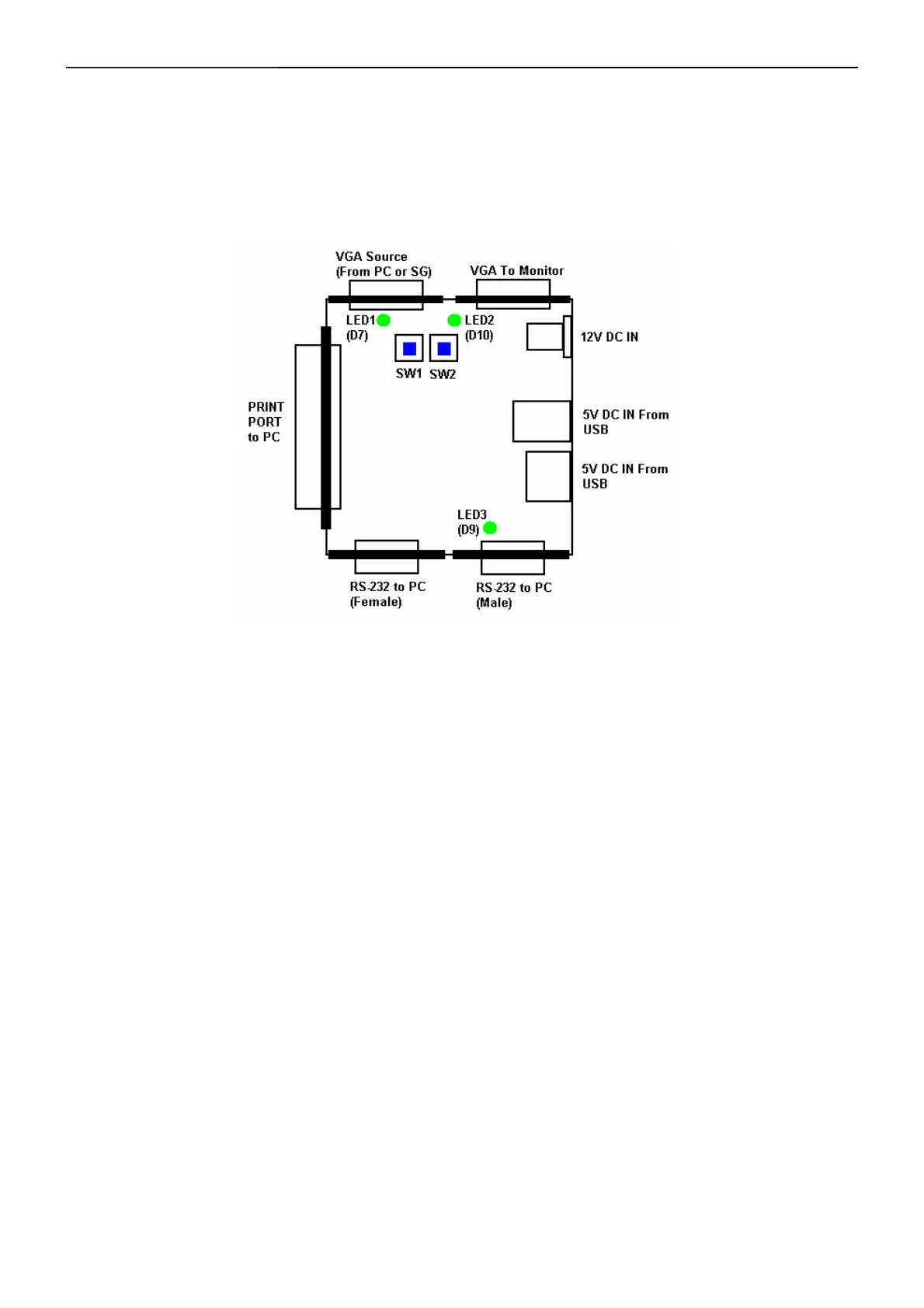
a. Debug/ISP board
LED1 – ON Use I
2
C/DDC bus (controlled from PRINT/Parallel port).
OFF Use UART bus (controlled from RS-232 port).
LED2 – ON I
2
C/DDC bus is connected to PRINT/Parallel port.
OFF I
2
C/DDC bus is bypassed to VGA Source port.
LED3 – Indicate POWER state.
SW1 – Switch I
2
C/DDC bus and UART bus (refer to LED1).
SW2 – Switch I
2
C/DDC bus from PRINT/Parallel port or VGA Source.
The power source of the debug board is from one among PRINT/Parallel port, 12V DC IN, and
USB.
b. Print port cable
2. Installation
Install GProbe 5 on your PC.
a. Copy “GProbe5.0.0.15.exe” to your PC.
b. Install it by the prompts and finish that.
c. Unzip the file of “DELL_E228WFP_ISP_Code.rar” to D:\
Install Hardware and setup G-Probe
ISP by print port
a. Power up your PC.
b. Connect the debug board and PC with Print port cable.
c. Check LED3 is light. If it is not light, recheck the print port connection and ensure PC is turn on.
d. Check LED1 and LED2 both are light. If not, switch SW1 and SW2 to make them light.
e. Make the monitor AC power off.


 To Next Page