22"LCD Color Monitor Dell E228WFPc
53
f. Connect the debug board and the monitor from “VGA To Monitor” port to the monitor’s VGA input.
g. Connect the VGA signal source (SG or PC) to the debug board “VGA Source” connector.
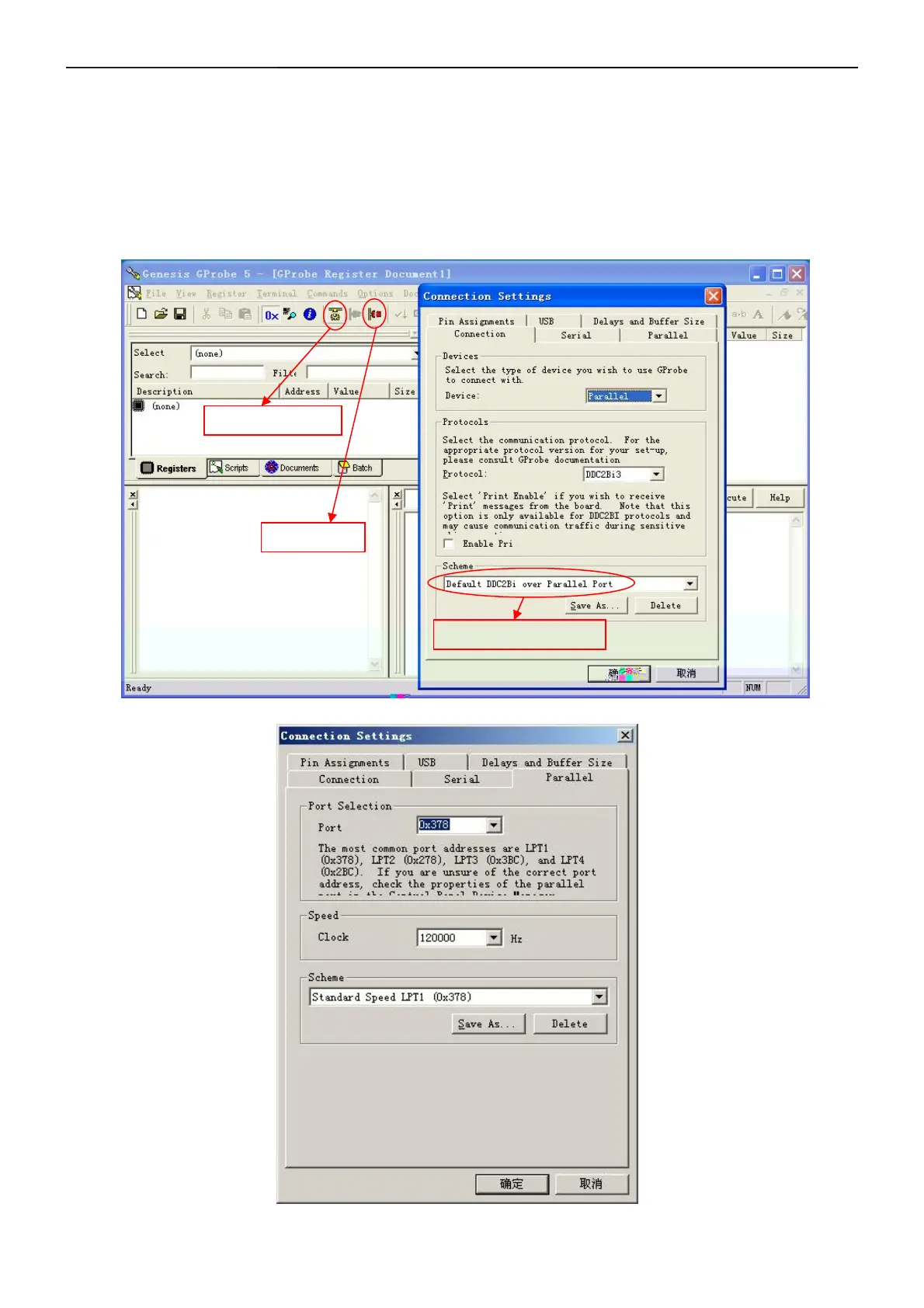
h. Launch GProbe 5 on your PC.
i. Press the key “F10” on your keyboard and then “Connection Settings” dialogue box will be
displayed on screen.
j. Set up the dialogue box as following and press “OK” button.


 To Next Page