22"LCD Color Monitor Dell E228WFPc
54
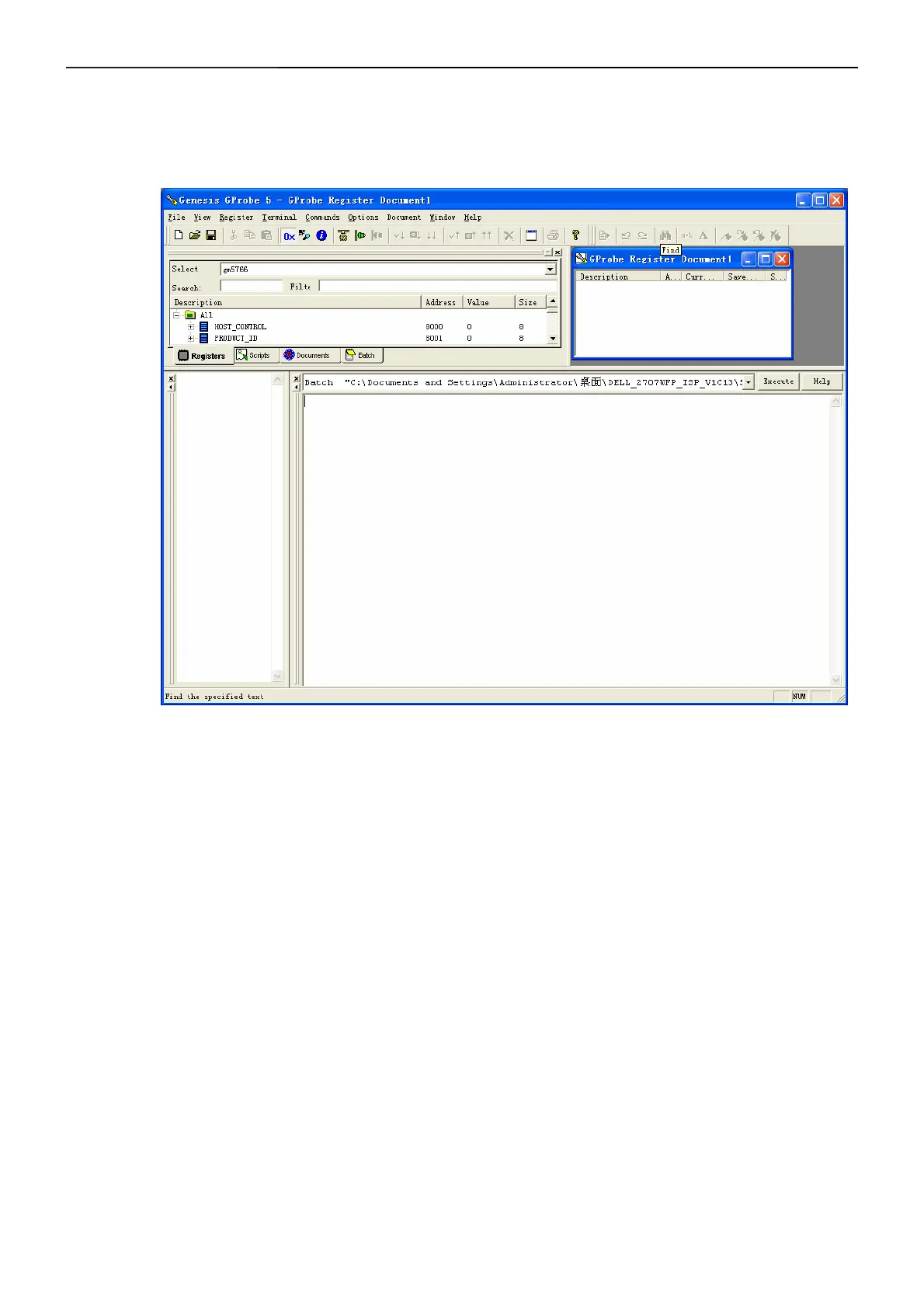
k. In g-probe 5, select “commands”Æ “batch”. Than, appear the “batch” dialogue box.
In “file” blank, select”L191_VISTA_ISP\ibm_L191_gm2621_auoeg02_v019_061214_1.txt”
OR select”L191_VISTA_ISP\ ibm_L191_gm2621_secex-l2_v019_061214_1.txt”
Press “Execute”. Than plug the AC power immediately.
It will show the ISP information. About 18s, the ISP have be finished.


 To Next Page