24 │ Setting up the monitor
Setting up the monitor
Connecting the stand
NOTE: The stand is not attached when the monitor is shipped from the
factory.
NOTE: The following procedure is applicable for the stand that shipped
with your monitor.
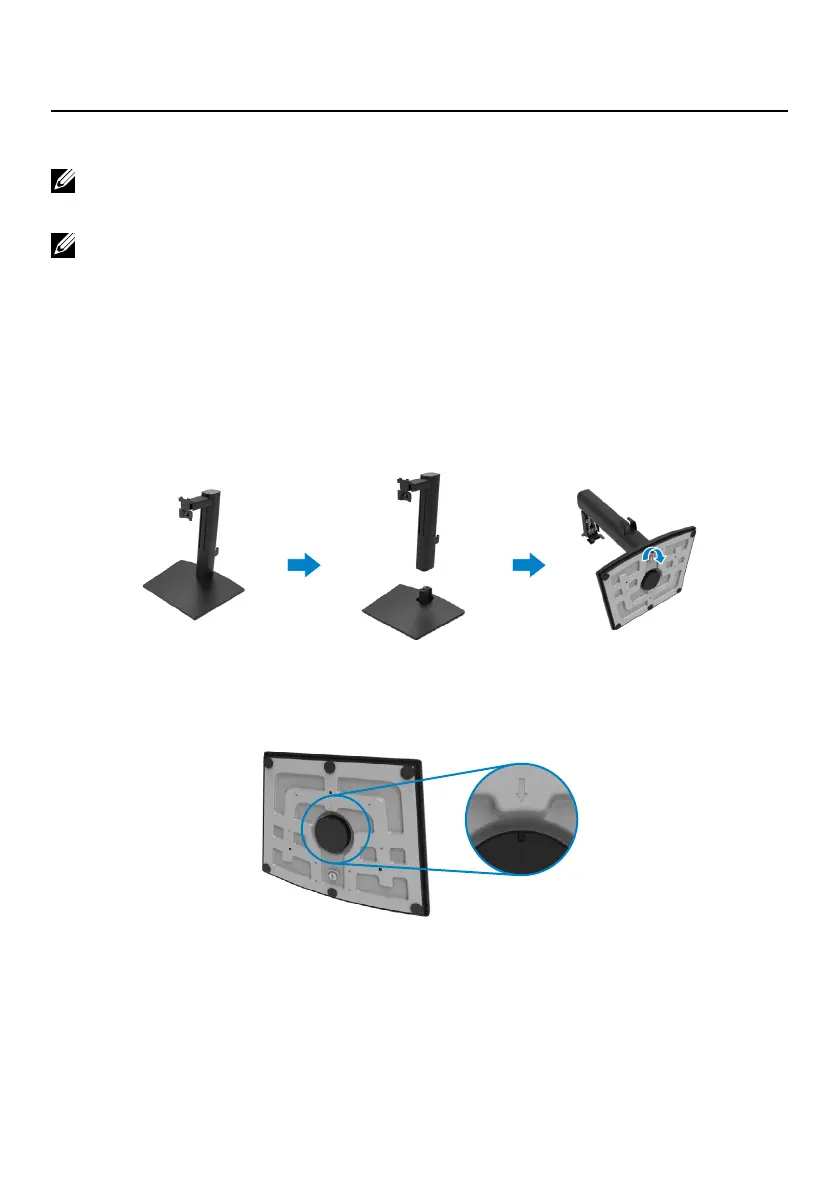
To attach the monitor stand:
1. Assemble the stand riser to stand base.
a. Insert the stand base fully into the stand riser slot.
b. Lift the screw handle and turn the screw clockwise.
c. After fully tightening the screw, fold the screw handle flat within the recess.
2. When square indicator on Lazy Susan is aligned with the arrow, this indicates
the Lazy Susan is at the initial zero position (0˚).



 To Next Page