Operating your monitor │ 33
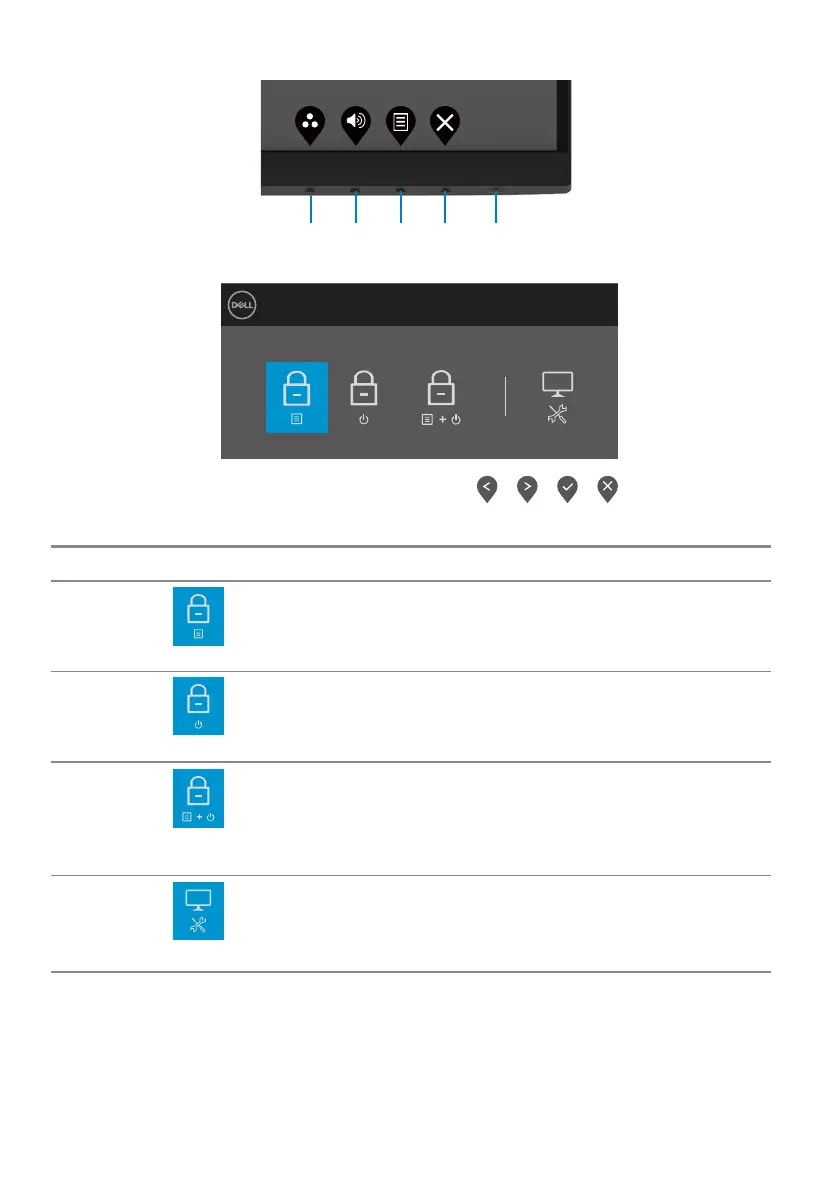
Use the front-panel control button to lock the button(s).
1
2
3
4 5
1. Press and hold Button 4 for four seconds, a menu appears on the screen.
Dell 24 Monitor
Select option:
2. Select one of the following options:
Options Description
1
Menu Buttons lock
Select this option to lock OSD menu function.
2
Power Button lock
Use this option to lock power button.
3
Menu and Power Buttons
lock
Use this option to lock OSD menu and power button.
4
Built-in Diagnostics
Use this option to run the built-in diagnostics, see Built-
in diagnostics.



 To Next Page