48 │ Operating your monitor
Icon Menu and
submenus
Description
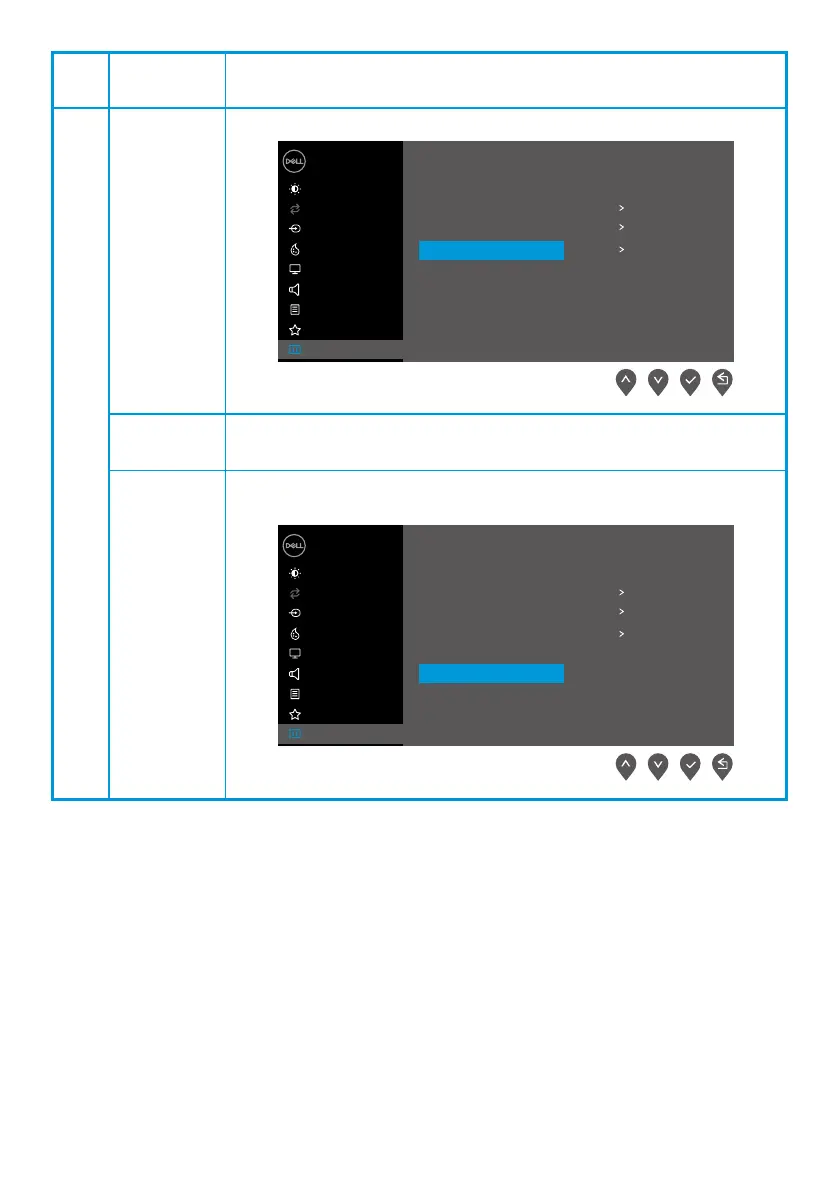
Service Tag Display the Service Tag number of the monitor.
Dell 24 Monitor
Brightness / Contrast
Auto Adjust
Input Source
Color
Display
Menu
Audio
Personalize
Others
Display Info
DDC/CI On
O
ABCDEFG
LCD Conditioning
Service Tag
Reset Others
Factory Reset ENERGY STAR
®
Reset Others Reset all settings under the Others setting menu to the factory default.
Factory Reset
Restore all preset values to the factory default setting. These are also
the settings for ENERGY STAR
®
tests.
Dell 24 Monitor
Brightness / Contrast
Auto Adjust
Input Source
Color
Display
Menu
Audio
Personalize
Others
Display Info
DDC/CI On
O
ABCDEFG
LCD Conditioning
Service Tag
Reset Others
Factory Reset ENERGY STAR
®



 To Next Page