30 │ Setting up the monitor
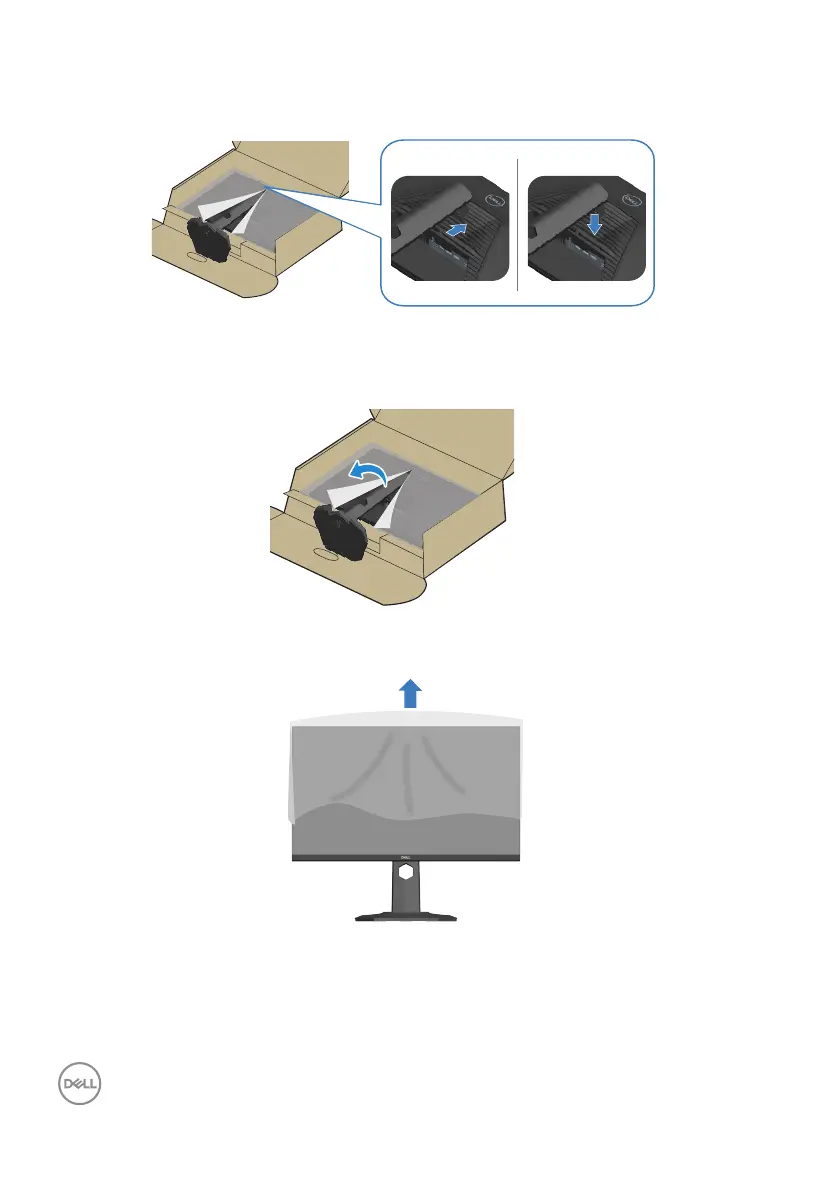
6. Slide the tabs on the stand riser into the slots on the display back cover and
lower the stand assembly to snap it into place.
7. Hold the stand riser firmly with both hands and lift the monitor carefully, then
place it on a flat surface.
8. Remove the cover from the monitor.



 To Next Page