Setting up your headset on a computer 7
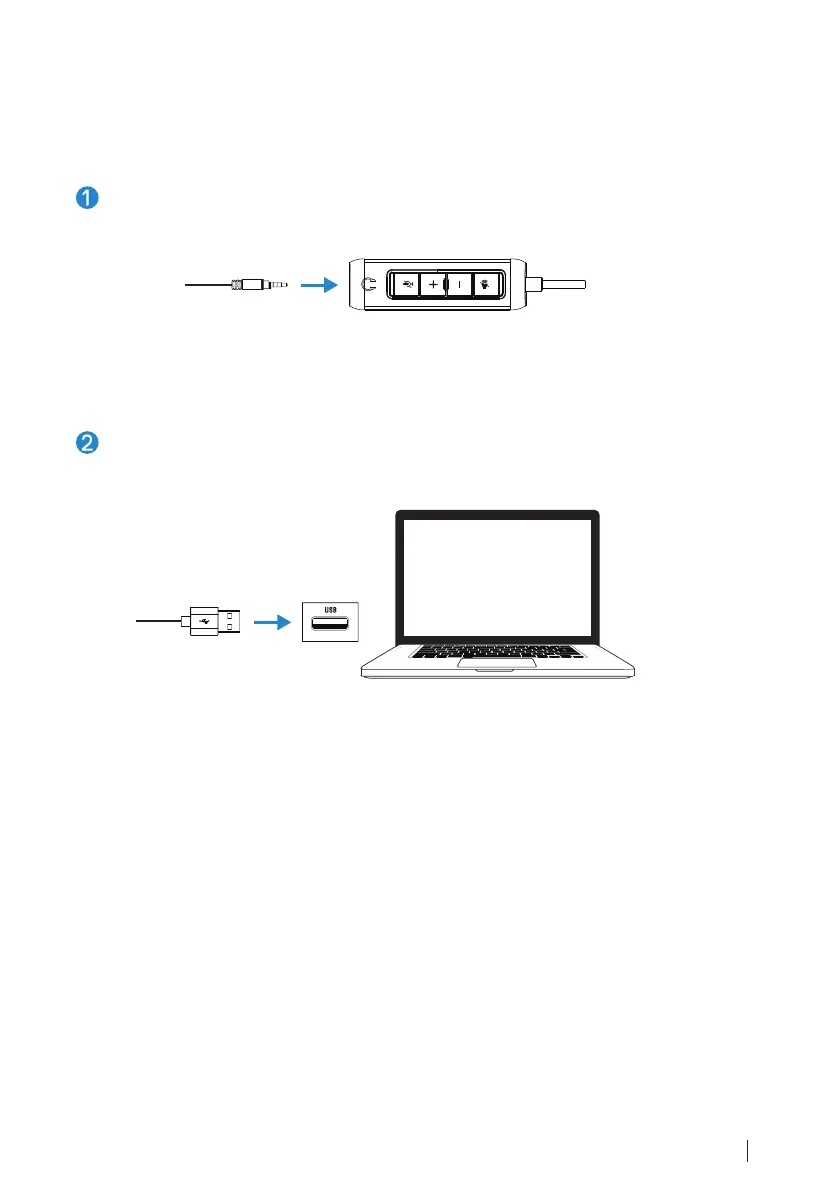
Set up your headset
Connect the headset's audio cable connector to the headphone jack
on the headset controller.
Connect the USB-A end of the headset controller cable to a USB-A port
on your notebook or desktop.
Note: The headset can be connected to your notebook, desktop or mobile device
without the headset controller as well.



 To Next Page