32 | Removing the Palm-Rest
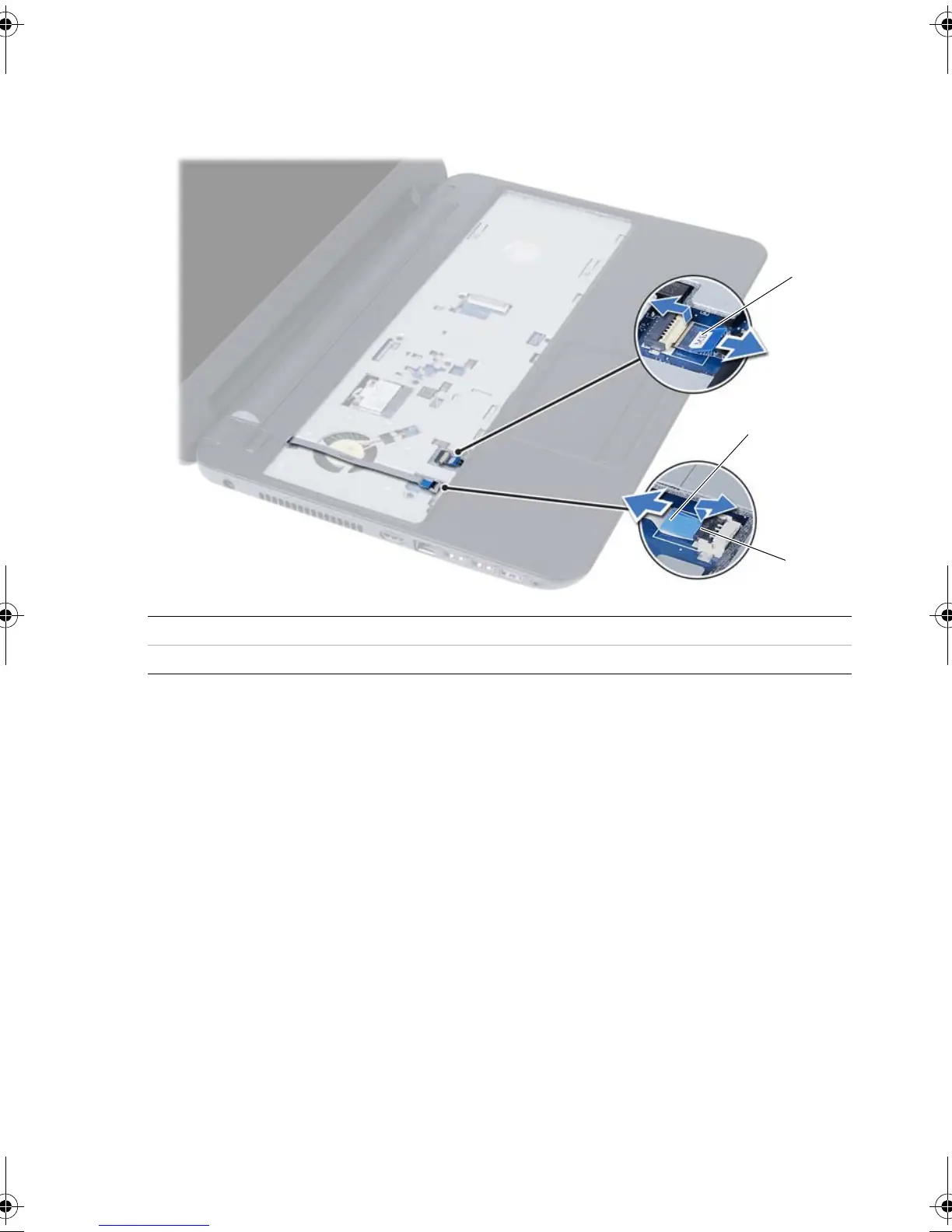
3 Turn the computer over and open the display as far as possible.
4 Lift the connector latches and pull the pull-tab to disconnect the touchpad cable
and the power-button cable from the system board.
1 touchpad cable 2 power-button cable
3 connector latches (2)
OM_Book.book Page 32 Tuesday, November 20, 2012 12:43 PM








 To Next Page