EasyManua.ls Logo

Dell Latitude 5521 - User Manual

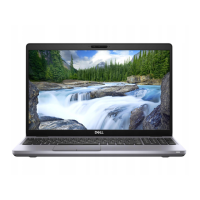
Dell Latitude 5521
118 pages
Print Icon
To Next Page IconTo Next Page
Loading...
Latitude 5521
Service Manual
Regulatory Model: P104F
Regulatory Type: P104F003/P104F004
June 2021
Rev. A00

Table of Contents

Questions and Answers

  • C
    Christy ParkerSep 9, 2025
    What to do if battery status light indicates LCD failure (SBIOS message) on Dell Laptop?
    • N
      Nicole MarshallSep 9, 2025
      If the battery status light on your Dell Laptop indicates an LCD failure (SBIOS message), replace the LCD module.
  • Z
    Zachary RoseSep 12, 2025
    What to do if battery status light indicates LCD failure (EC detection of power rail failure) on Dell Latitude 5521?
    • A
      andrew96Sep 12, 2025
      If the battery status light on your Dell Laptop indicates an LCD failure due to EC detection of power rail failure, replace the system board.
  • K
    Kyle YorkSep 13, 2025
    What to do if battery status light indicates CMOS battery failure on Dell Latitude 5521 Laptop?
    • K
      Krista HowellSep 14, 2025
      If the battery status light on your Dell Laptop indicates a CMOS battery failure, reset the CMOS battery connection. If the problem persists, replace the RTC battery.
  • M
    montgomerycaitlinSep 16, 2025
    What does it mean when battery status light indicates generic catch-all for ungraceful EC code flow errors on Dell Laptop?
    • C
      Christina MolinaSep 16, 2025
      If the battery status light on your Dell Laptop indicates a generic catch-all for ungraceful EC code flow errors, disconnect all power sources (AC, battery, coin cell) and drain flea power by pressing and holding down the power button.

Dell Latitude 5521 Specifications

General IconGeneral
MemoryUp to 64GB DDR4
Processor11th Gen Intel Core i5/i7
Display15.6-inch FHD (1920 x 1080)
StorageUp to 2TB SSD
GraphicsIntel Iris Xe Graphics or NVIDIA GeForce MX450
Operating SystemWindows 10 Pro
PortsHDMI 2.0, RJ-45, Audio jack
WirelessIntel Wi-Fi 6 AX201

Related product manuals