8. Follow the procedure in After working inside your computer.
Removing the display bezel
1. Follow the procedure in Before working inside your computer.
2. Remove the:
a. base cover
b. battery
c. display assembly
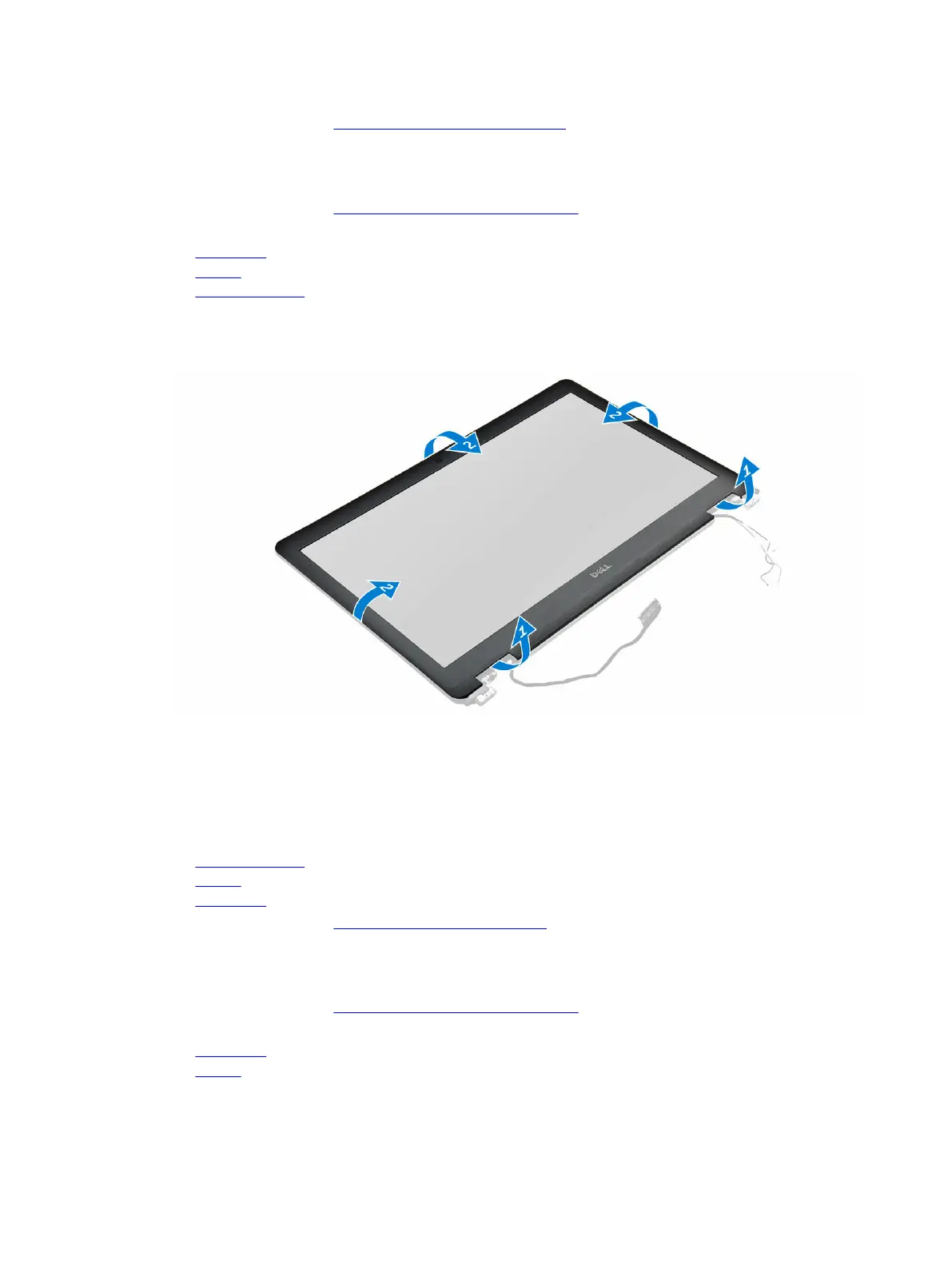
3. Using a plastic scribe, release the tabs on the edges to release the display bezel from the display
assembly [1, 2].
4. Remove the display bezel from the display assembly.
Installing the display bezel
1. Place the display bezel on the display assembly.
2. Press the edges of the display bezel until it clicks onto the display assembly.
3. Install the:
a. display assembly
b. battery
c. base cover
4. Follow the procedure in After working inside your system.
Removing the display panel
1. Follow the procedure in Before working inside your computer.
2. Remove the:
a. base cover
b. battery
20



 To Next Page