2
Removing and installing components
This section provides detailed information on how to remove or install the components from your
computer.
Recommended tools
The procedures in this document require the following tools:
• Small flat blade screwdriver
• Phillips #0 screwdriver
• Phillips #1 screwdriver
• Small plastic scribe
Installing the Subscriber Identification Module (SIM) card
CAUTION: Removing the SIM card when the computer is on may cause data loss or damage the
card. Ensure your computer is turned off or the network connections are disabled.
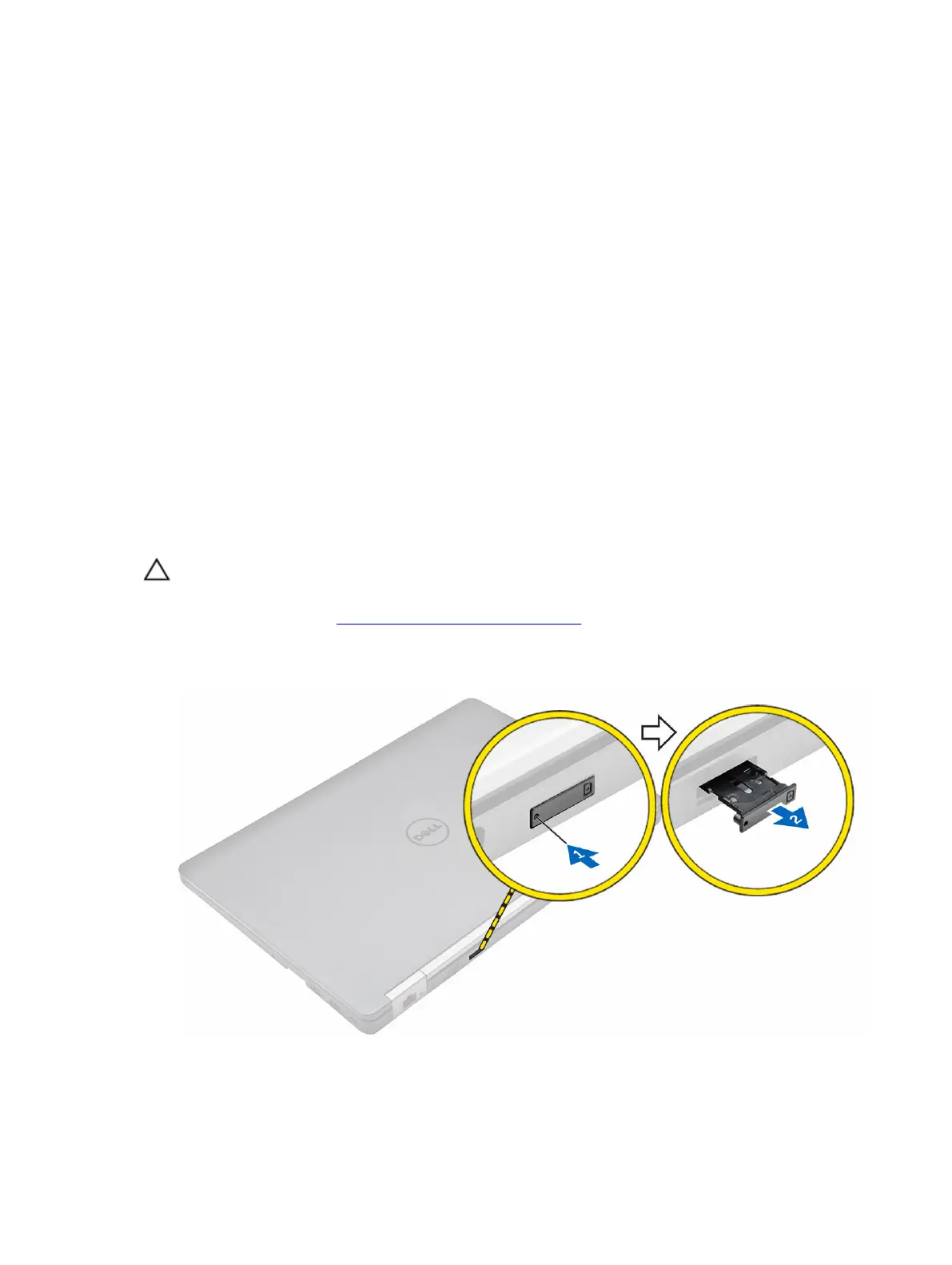
1. Follow the procedure in Before working inside your computer.
2. Insert a paperclip or a SIM card removal tool to remove the SIM card tray from the computer [1].
3. Place the SIM card on the SIM card tray [2].
4. Push the SIM card tray with the SIM card into the slot on the computer until it clicks into place.
6



 To Next Page