5. WLAN card
6. WWAN card
7. memory module
8. heatsink
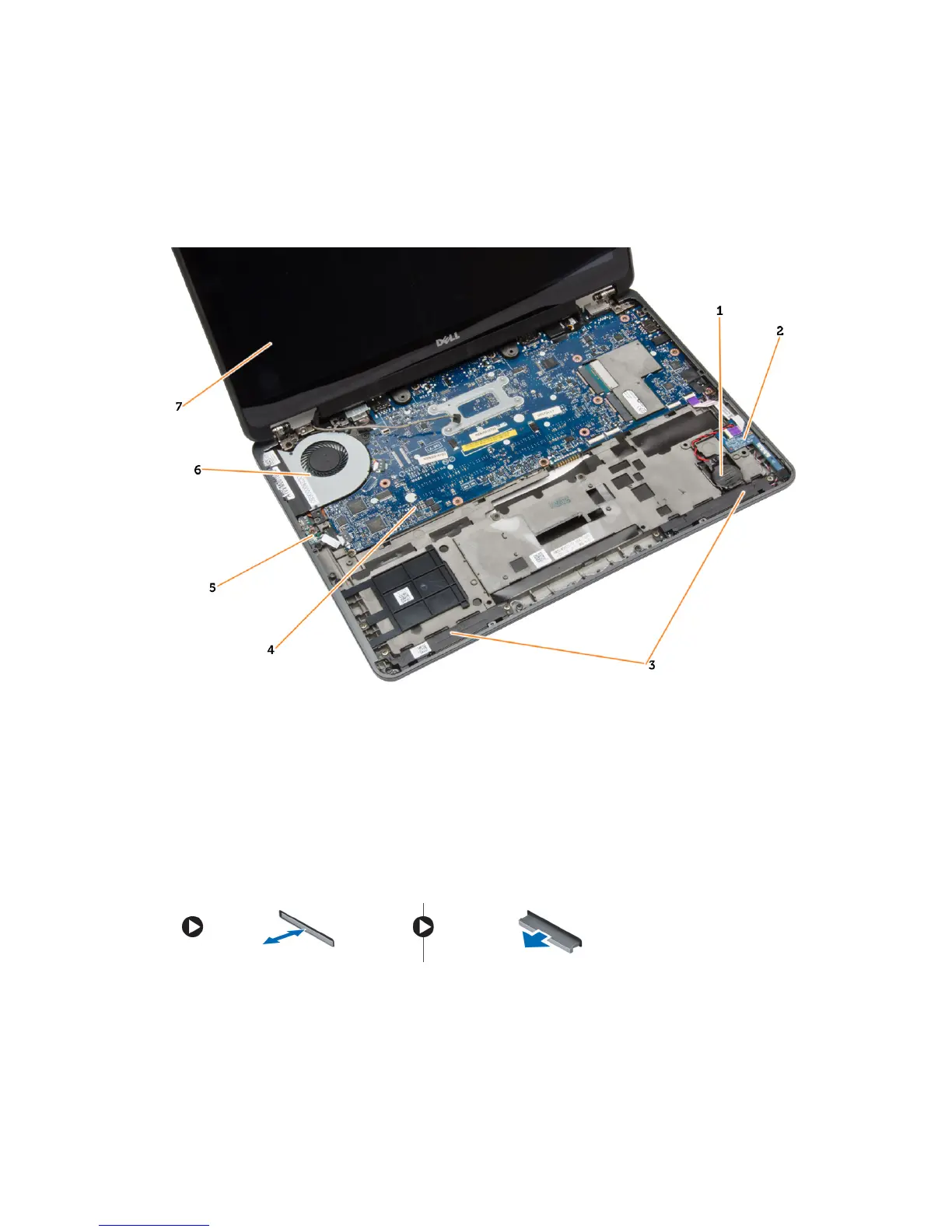
Figure 2. Inside view — Front
1. coin-cell battery 2. SIM card board
3. speaker 4. system board
5. wi-fi switch board 6. system fan
7. display assembly
Removing the SD Card
1. Follow the procedures in
Before Working Inside Your Computer
.
2. Press in on the SD card to release it from the computer.
3. Slide the SD card out of the computer.
12














 To Next Page