3. Install:
a. display assembly
b. display-hinge cover
c. palmrest
d. keyboard
e. keyboard trim
f. mSATA
g. base cover
h. battery
i. SD card
4. Follow the procedures in
After Working Inside Your Computer
.
Removing the Display Assembly
1. Follow the procedures in
Before Working Inside Your Computer
.
2. Remove:
a. battery
b. SD card
c. base cover
d. keyboard
e. palmrest
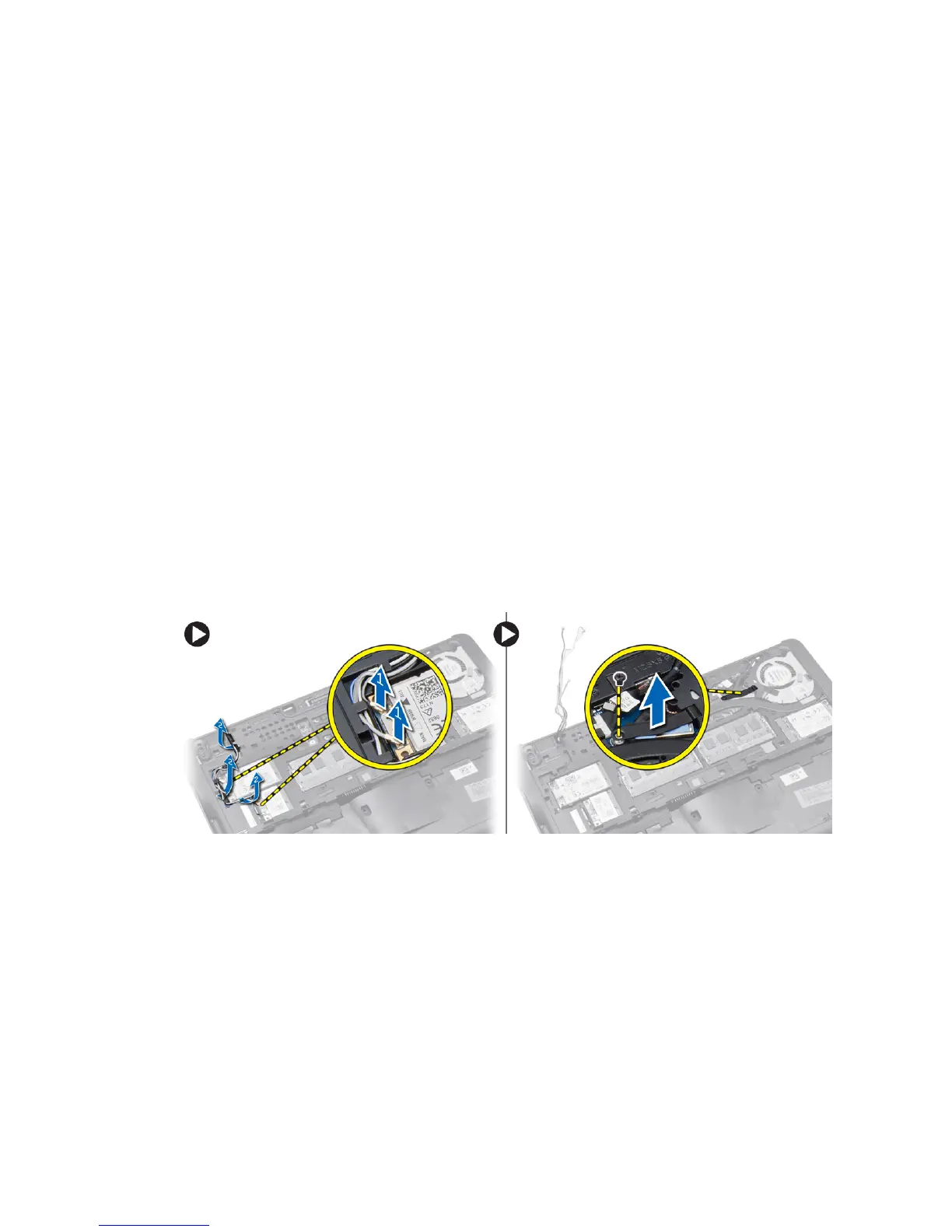
3. Perform the following steps as shown in the illustration:
a. Disconnect the WLAN cable from the system board [1].
b. Unroute the WLAN cables from the slot [2].
c. Remove the screw that secures the heatsink to the computer.
28














 To Next Page