Getting to Know Your Dell™ Lightning 27
System Tray
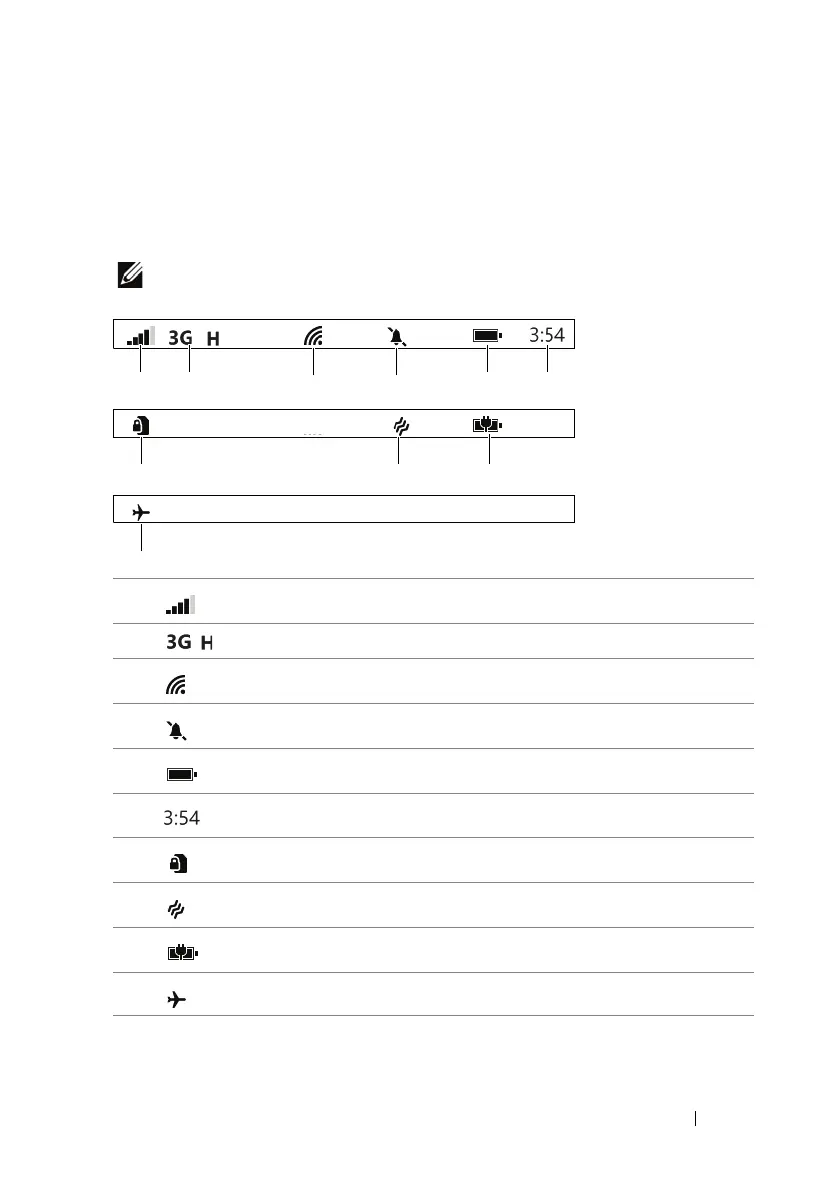
The system tray displays icon indicators for current time, battery
power, signal strength, network connectivity, ringtone settings, and
other system information.
NOTE: The system tray hides the icons after a short period of time. To
display the icons, touch the system tray.
1
Signal strength
2
Connected to a 3G (HSPA) data network
3
Connected to a Wi-Fi network
4
Silent mode is enabled
5
Battery status
6
Current time
7
SIM card is locked
8
Vibrate mode is enabled
9
Phone is charging
10
Airplane mode is enabled



 To Next Page