Using Your Projector 27
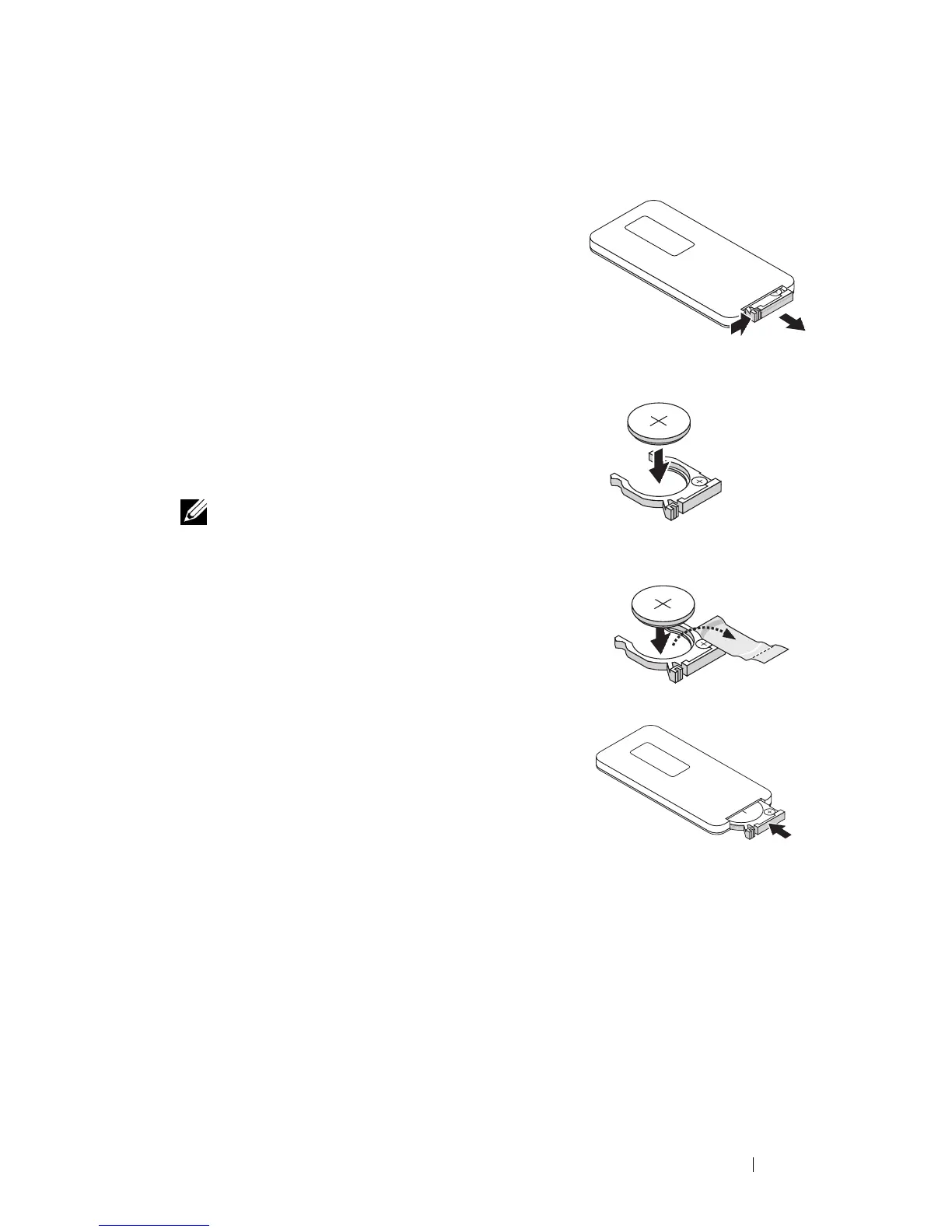
Installing the Remote Control Battery (Optional)
1 Remove the battery holder by holding down
the side release firmly and pulling out the
battery holder.
2 Insert a CR2032 coin cell battery and align
the polarity correctly according to the marking
in the battery holder.
NOTE: When you use the remote control for the
first time, there is a plastic sheet between the
battery and its contact. Remove the sheet
before use.
3 Replace the battery holder.
3
V
O
L
T
S
CR2032
3
V
O
L
T
S
CR2032
M
3
V
O
L
T
S
CR2025



 To Next Page