12 │ Pairing your wireless mouse
Pairing device three using Bluetooth
NOTE: You can connect a third device to your wireless mouse using Bluetooth.
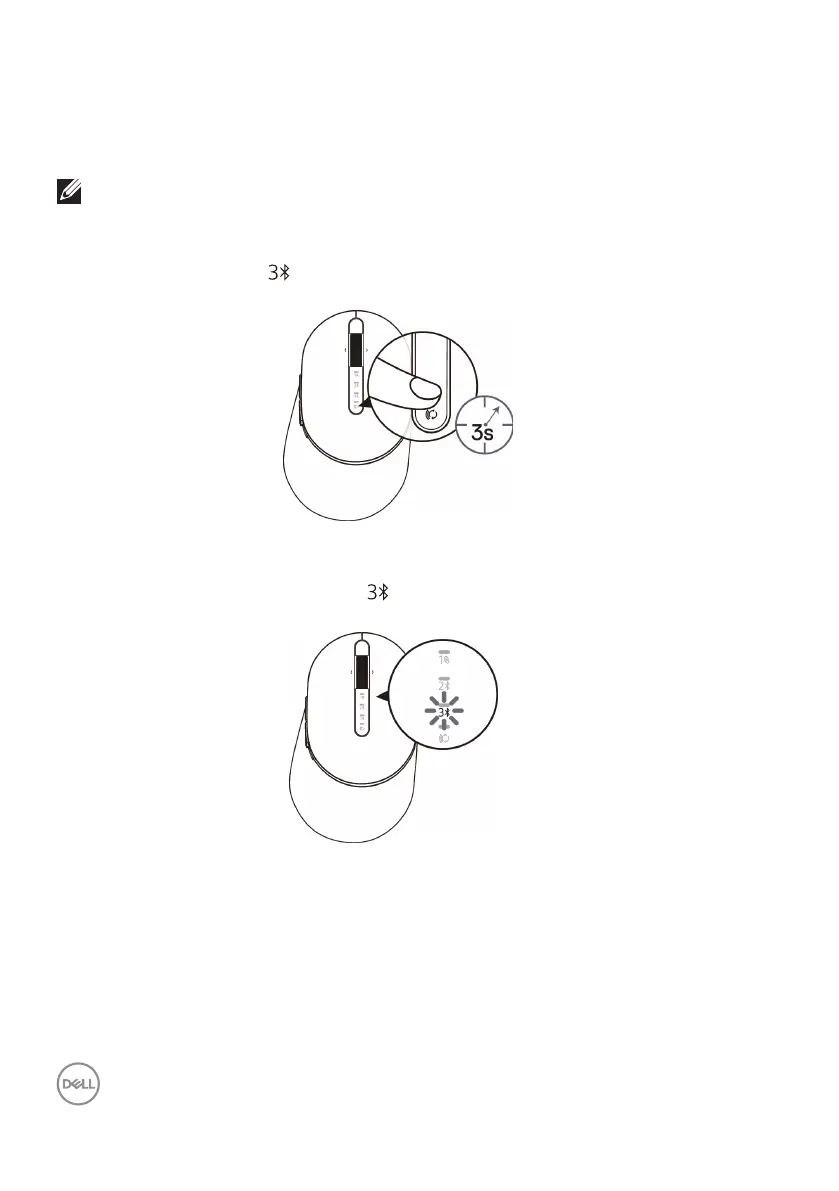
1. Press the connection-mode button twice on your mouse (within 3 seconds) until the
connection-mode light ( ) turns on indicating that the third-bluetooth connection
is selected.
2. The third-bluetooth connection light ( ) starts blinking to conrm the pairing mode
is enabled.
3. Pair your mouse with your Bluetooth enabled computer.
a. In Windows Search, type Bluetooth.
b. Click Bluetooth and other devices settings. The Settings window
appears.
c. Click Bluetooth & other devices. Ensure that the Bluetooth is turned on.
d. From the list of devices, click Dell Mouse.



 To Next Page