EasyManua.ls Logo

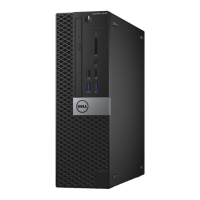
Dell OptiPlex 5050 Small Form Factor - User Manual

Dell OptiPlex 5050 Small Form Factor
64 pages
Print Icon
To Next Page IconTo Next Page
Loading...
OptiPlex 5050 Small Form Factor
Owner's Manual
Regulatory Model: D11S
Regulatory Type: D11S002

Table of Contents

Questions and Answers

  • S
    Shelley WilliamsSep 8, 2025
    How to troubleshoot storage subsystem failure on Dell OptiPlex 5050 Small Form Factor?
    • E
      Eric NguyenSep 8, 2025
      If your Dell Desktop has a storage subsystem failure, try removing the storage devices one by one on the motherboard to determine which one has failed. If you identify a failed storage device, replace it.
  • L
    Linda MillerSep 12, 2025
    How to troubleshoot a system board failure on a Dell OptiPlex 5050 Small Form Factor Desktop?
    • D
      Dorothy RuizSep 12, 2025
      If your Dell Desktop has a system board failure, try removing the components one by one on the motherboard to determine which one has failed. If you identify any failed components, replace them. If none of the components have failed, replace the motherboard.
  • E
    Emily RyanSep 12, 2025
    How to fix bad motherboard on Dell Desktop?
    • J
      jamiewalkerSep 12, 2025
      Replace the motherboard.
  • J
    Justin FrancisSep 14, 2025
    What to do if Dell Desktop has bad coin cell battery?
    • T
      Taylor WilsonSep 15, 2025
      If you can assist to troubleshoot, narrow down the issue by swapping a known good coin cell battery if available. If nothing works, replace the coin cell battery.
  • M
    Melissa WilliamsSep 16, 2025
    What to do if my Dell Desktop scans pairing status after shutdown during the first boot?
    • S
      Stephanie NovakSep 16, 2025
      This is normal behavior. The scan is part of the design and the message will not appear again during subsequent boot ups.

Dell OptiPlex 5050 Small Form Factor Specifications

General IconGeneral
Form FactorSmall Form Factor
ProcessorIntel Core i3/i5/i7 (7th Gen)
ChipsetIntel Q270
RAM4GB, 8GB, 16GB, 32GB DDR4 2400MHz
StorageUp to 2TB HDD or 512GB SSD
GraphicsIntegrated Intel HD Graphics 630
Operating SystemWindows 10 Pro
Ports (Rear)4x USB 3.0, 2x USB 2.0, Ethernet, DisplayPort
PortsUSB 3.1, USB 2.0, HDMI, DisplayPort, Ethernet
Expansion Slots1 x PCIe x16, 1 x PCIe x1
NetworkingGigabit Ethernet
Power Supply200W
Dimensions (H x W x D)29.8 x 9.3 x 27.4 cm
Weight5.14 kg (11.33 lbs)

Related product manuals