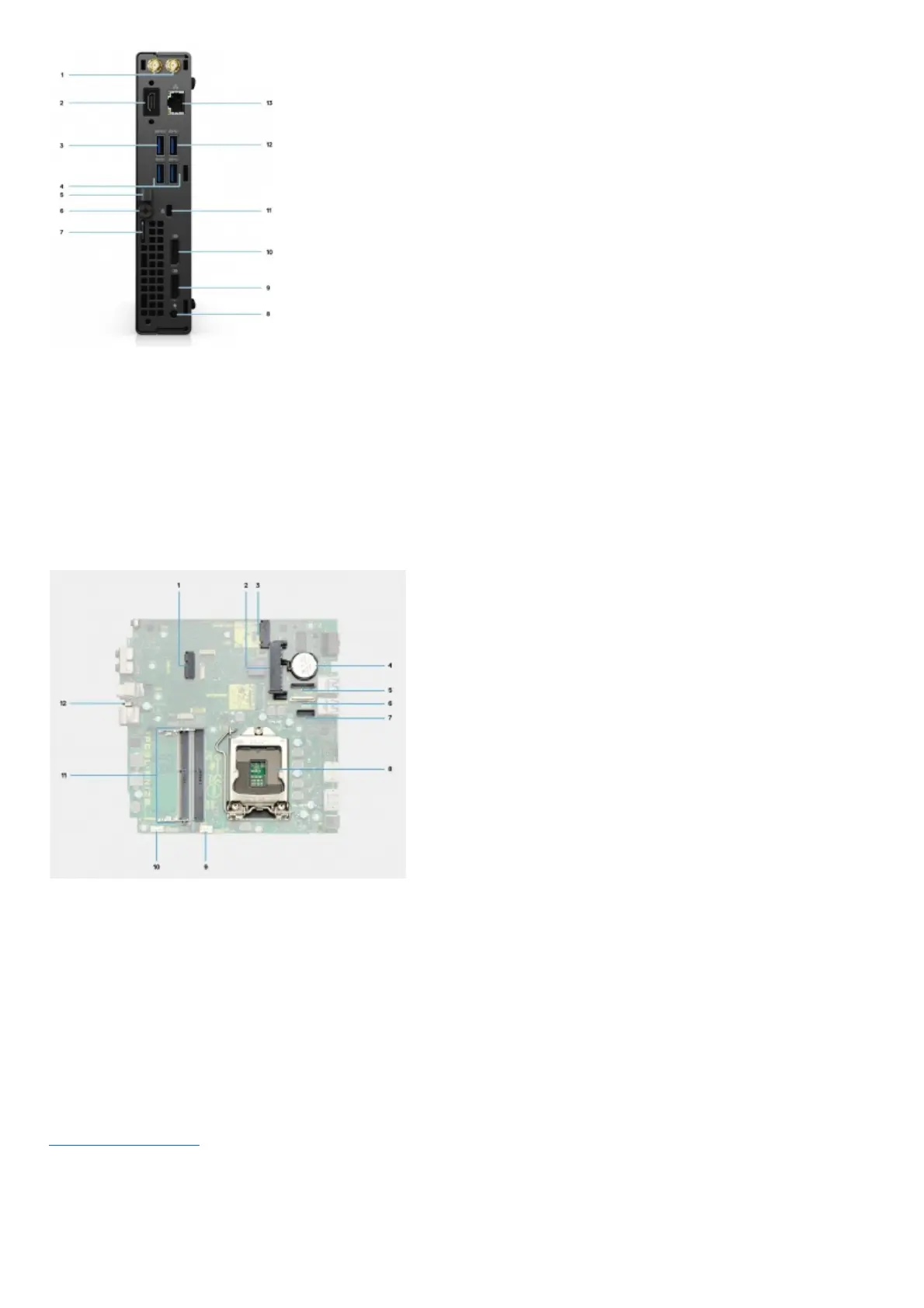
1. External antenna connector
2. Serial/Video port with Serial port/PS2 port/VGA port/DisplayPort 1.4 port/HDMI 2.0 Port/USB 3.2 Gen2 Type-C Port with DP Alt-mode (optional)
3. USB 3.2 Gen 1 Type-A port with Smart Power on
4. Two USB 3.2 Gen 1 Type-A ports
5. DC-in cable holder
6. Thumbscrew
7. Padlock loop
8. Power connector port
9. DisplayPort 1.4
10. DisplayPort 1.4
11. Wedge-shaped lock slot
12. USB 3.2 Gen 1 Type-A port
13. RJ45 Ethernet port
System board layout
1. M.2 WLAN connector
2. 2.5-inch hard-drive connector
3. M.2 SSD PCIe connector
4. Coin-cell battery
5. Optional video connector (VGA Port/DisplayPort 1.4 Port/HDMI 2.0b Port)
6. Optional connector (USB 3.2 Gen 2 Type-C Port)
7. Optional Keyboard and mouse serial port connector
8. Processor socket
9. CPU Fan connector
10. Internal speaker connector
11. Memory slots
12. Intrusion switch
Specifications of OptiPlex 5090 Micro
Dimensions and weight
The following table lists the height, width, depth, and weight of your OptiPlex 5090 Micro.
Table 2. Dimensions and weight










 To Next Page