EasyManua.ls Logo

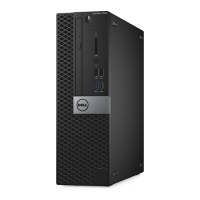
Dell OptiPlex 7040-Small Form Factor - User Manual

Dell OptiPlex 7040-Small Form Factor
51 pages
Print Icon
To Next Page IconTo Next Page
Loading...
OptiPlex 7040 - Small Form Factor
Owner's Manual
Regulatory Model: D15S
Regulatory Type: D15S003
May 2020
Rev. A03

Table of Contents

Questions and Answers

  • R
    Rachel SmithSep 4, 2025
    What to do if my Dell OptiPlex 7040-Small Form Factor displays 'Hard-Disk Drive Configuration Error'?
    • M
      Michael BrownSep 4, 2025
      If your Dell Desktop displays a 'Hard-Disk Drive Configuration Error', the computer is unable to identify the drive type. Shut down the computer, remove the hard drive, and boot the computer from an optical drive. Then, shut down the computer again, reinstall the hard drive, and restart the computer. Run the Hard Disk Drive tests in Dell Diagnostics.
  • M
    matthew50Sep 4, 2025
    Why is there 'System board failure' on my Dell OptiPlex 7040-Small Form Factor?
    • G
      gperezSep 4, 2025
      Fatal system board failure detected. If you can assist with troubleshooting, try removing the components one by one on the motherboard to determine which one failed. If any component is identified as failed, replace it. If none of the components failed, replace the motherboard.
  • A
    Andrew HernandezSep 5, 2025
    How to fix 'Memory Double Word Logic Failure' on Dell OptiPlex 7040-Small Form Factor?
    • L
      leeanthonySep 5, 2025
      If your Dell Desktop displays 'Memory Double Word Logic Failure', a memory module may be faulty or improperly seated. Reinstall the memory module or, if necessary, replace it.
  • M
    michelle58Sep 5, 2025
    Why is there a 'Possible memory failure' on my Dell OptiPlex 7040-Small Form Factor?
    • C
      Christina WatsonSep 6, 2025
      Memory subsystem configuration activity is in progress. If you can assist with troubleshooting, try removing the memory modules one by one on the motherboard to determine which one failed. If a memory module is identified as failed, replace it. Otherwise, replace the motherboard.
  • S
    stacybrandtSep 6, 2025
    How to fix 'Memory Odd/Even Logic Failure' on Dell OptiPlex 7040-Small Form Factor Desktop?
    • B
      Brett DavisSep 6, 2025
      If your Dell Desktop displays 'Memory Odd/Even Logic Failure', a memory module may be faulty or improperly seated. Reinstall the memory module or, if necessary, replace it.
  • J
    Jeremy PayneSep 7, 2025
    What does 'Auxiliary Device Failure' mean on my Dell Desktop and how to fix it?
    • E
      Evan FrazierSep 7, 2025
      If your Dell Desktop displays 'Auxiliary Device Failure', the touchpad or external mouse may be faulty. For an external mouse, check the cable connection. Enable the Pointing Device option in the System Setup program.

Summary

Working on Your Computer

Before Working Inside Your Computer

Steps to prepare the computer and workspace before performing internal maintenance.

Turning Off Your Computer

Procedure for safely powering down the computer before maintenance.

After Working Inside Your Computer

Steps to reconnect devices and ensure proper operation after maintenance.

Removing and Installing Components

Troubleshooting Your Computer

Diagnostic Error Messages

Lists common diagnostic error messages with descriptions and suggested resolutions.

System Error Messages

Details system-specific error messages encountered during operation and their solutions.

System Setup

Assigning System and Setup Passwords

Detailed steps for setting or changing system and BIOS passwords for security.

Dell OptiPlex 7040-Small Form Factor Specifications

General IconGeneral
BrandDell
ModelOptiPlex 7040-Small Form Factor
CategoryDesktop
LanguageEnglish

Related product manuals