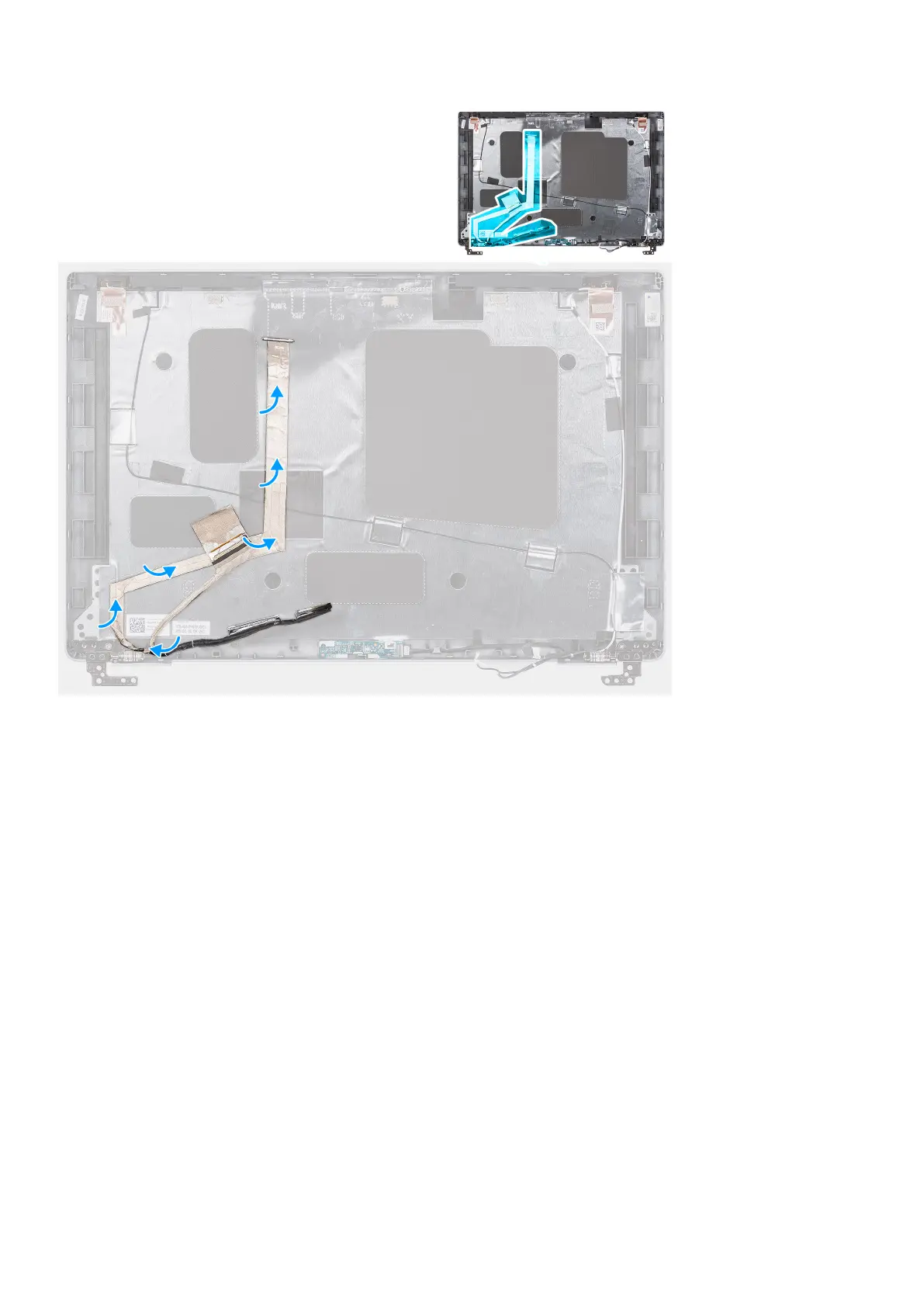
Steps
1. Connect the eDP/display cable to the connector on the camera.
2. Adhere the eDP/display cable to the display back cover.
3. Adhere the conductive tape and route the eDP/display cable to the display back cover.
Next steps
1. Install the display panel.
2. Install the display bezel.
3. Install the display assembly.
4. Install the base cover.
5. Install the microSD card.
6. Install the SIM card.
7. Follow the procedure in After working inside your computer.
Sensor board
Removing the sensor board
Prerequisites
1. Follow the procedure in Before working inside your computer.
2. Enter service mode.
Removing and installing components
85



 To Next Page