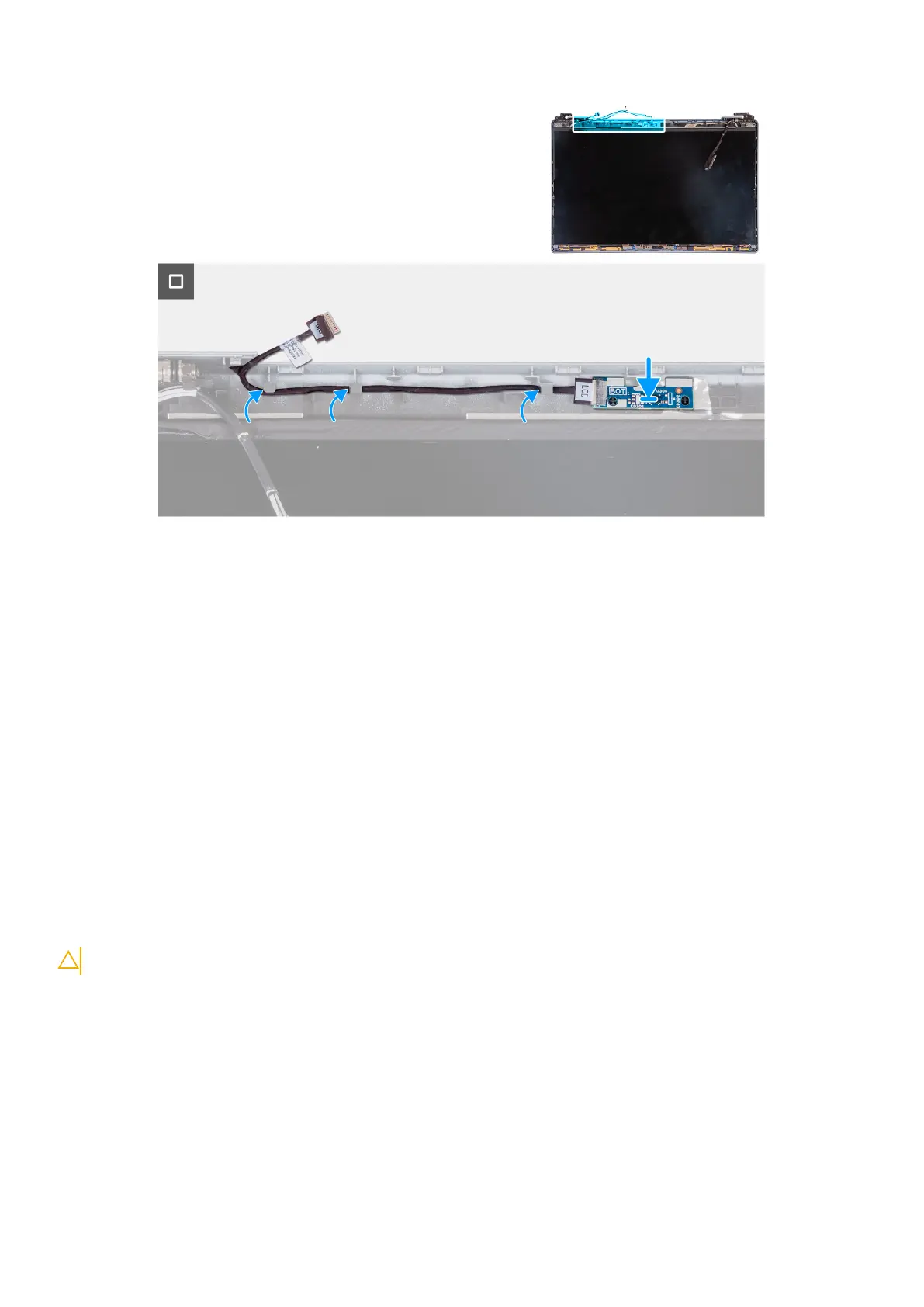
Steps
1. Place the sensor board on its slot on the display back cover.
2. Route the sensor-board cable through the routing guides on the display back cover.
Next steps
1. Install the display panel.
2. Install the display bezel.
3. Install the display assembly.
4. Install the WLAN card.
5. Install the 4G WWAN card or 5G WWAN card, as applicable.
6. Install the base cover.
7. Install the SIM card.
8. Follow the procedure in After working inside your computer.
Smart Card Reader
Removing the smart-card reader
CAUTION: The information in this section is intended for authorized service technicians only.
Prerequisites
1. Follow the procedure in Before working inside your computer.
2. Remove the SIM card.
3. Remove the base cover.
4. Remove the battery.
5. Remove the assembly-inner frame.
120
Removing and installing Field Replaceable Units (FRUs)



 To Next Page