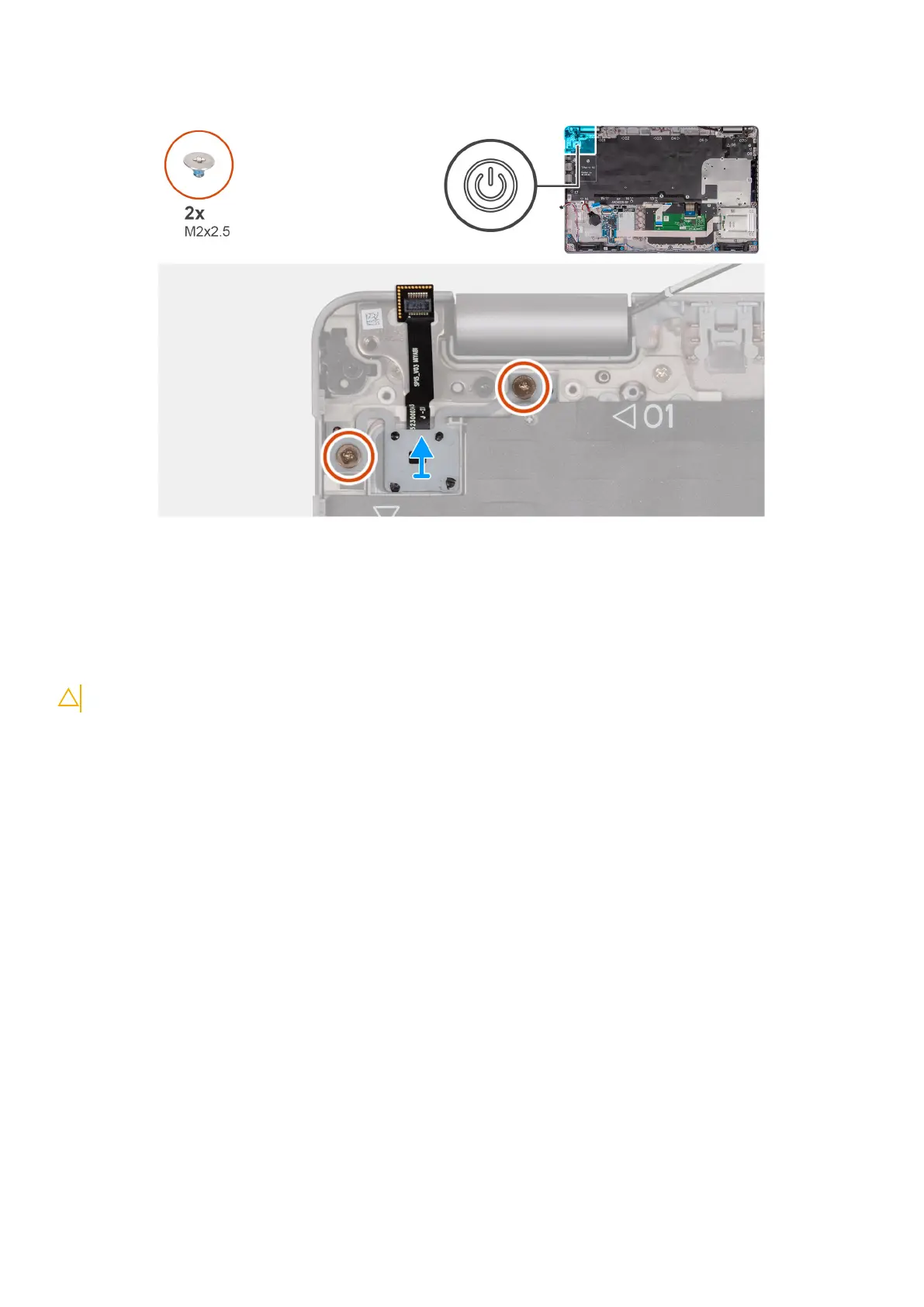
Steps
1. Remove the two (M2x2.5) screws that secure the power button to the palm-rest assembly.
2. Lift the power button, along with the cable. off the palm-rest assembly.
Installing the power button
CAUTION: The information in this section is intended for authorized service technicians only.
Prerequisites
If you are replacing a component, remove the existing component before performing the installation process.
About this task
The following images indicate the location of the power board and provide a visual representation of the installation procedure.
Removing and installing Field Replaceable Units (FRUs)
91



 To Next Page