12. Remove the display assembly.
13. Remove the smart-card reader.
About this task
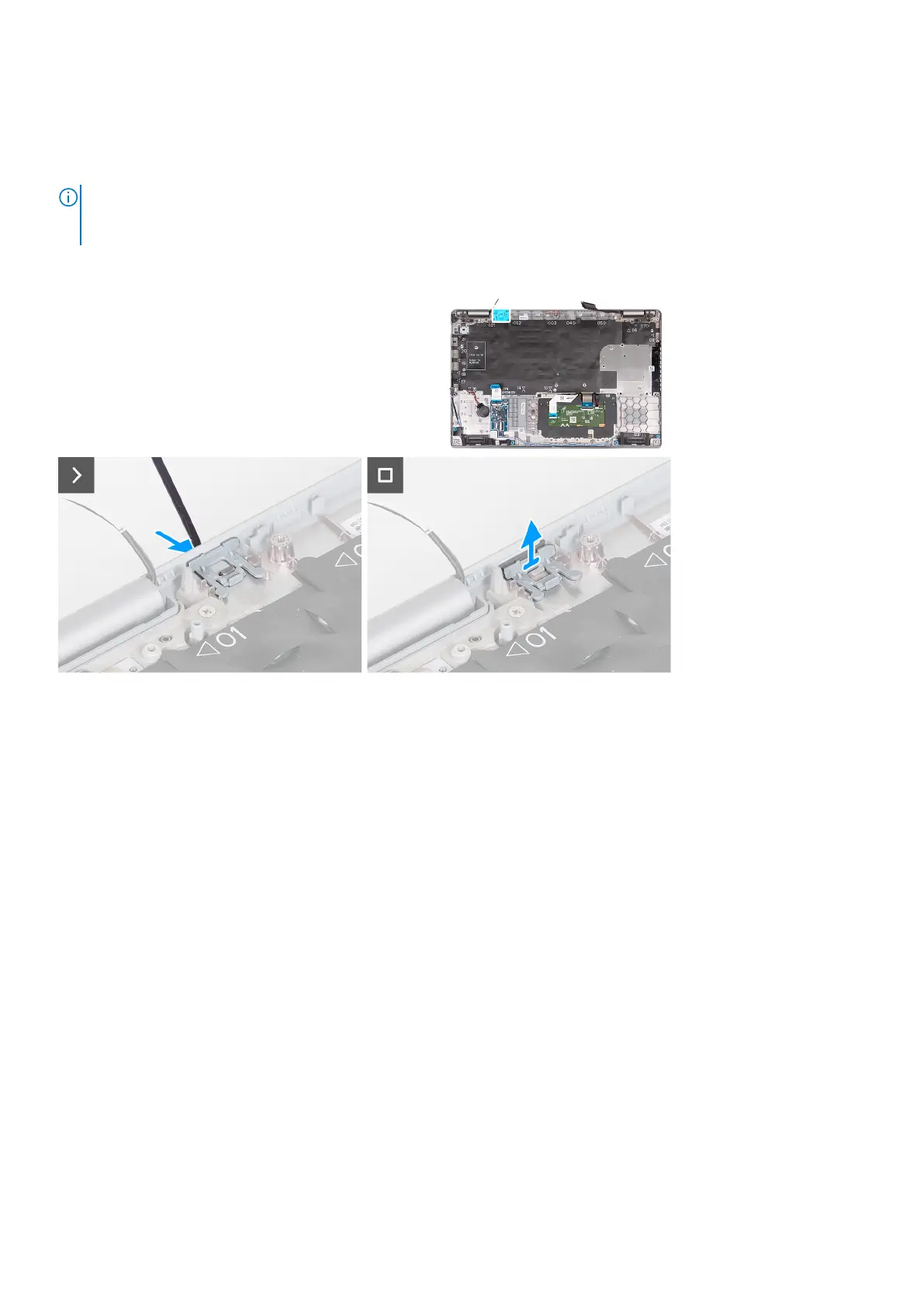
NOTE: For models shipped with WLAN card only, the dummy SIM-card slot filler is a separate service part and is not
included with replacement palm rest. As a result, the dummy SIM-card slot filler must be removed and then reinstalled when
replacing the palm-rest assembly.
The following image indicates the dummy SIM-card slot filler and provides a visual representation of the dummy SIM-card slot
filler removal procedure.
Steps
1. Using a scribe, push the dummy SIM-card slot filler from the top side of the palm-rest assembly.
2. Gently lift the dummy SIM-card slot filler out of the palm-rest assembly.
Installing the dummy SIM-card slot filler
Prerequisites
If you are replacing a component, remove the necessary component before the installation procedure.
About this task
The following image indicates the location of the dummy SIM-card slot filler and provides a visual representation of the dummy
SIM-card slot filler installation procedure.
Removing and installing Field Replaceable Units (FRUs)
123



 To Next Page