The top row of the keyboard is a capacitive touch panel. The fn mechanical key toggles between the keys F1-F12 and keys for
multimedia control. Releasing the fn key switches back to the previous mode.
Pressing the fn key and the esc key locks the "mode" of the capacitive touch panel. If the computer restarts, the default mode
is the last mode set by the user before the computer is restarted.
The fn key is also used with selected keys on the keyboard to invoke other secondary functions.
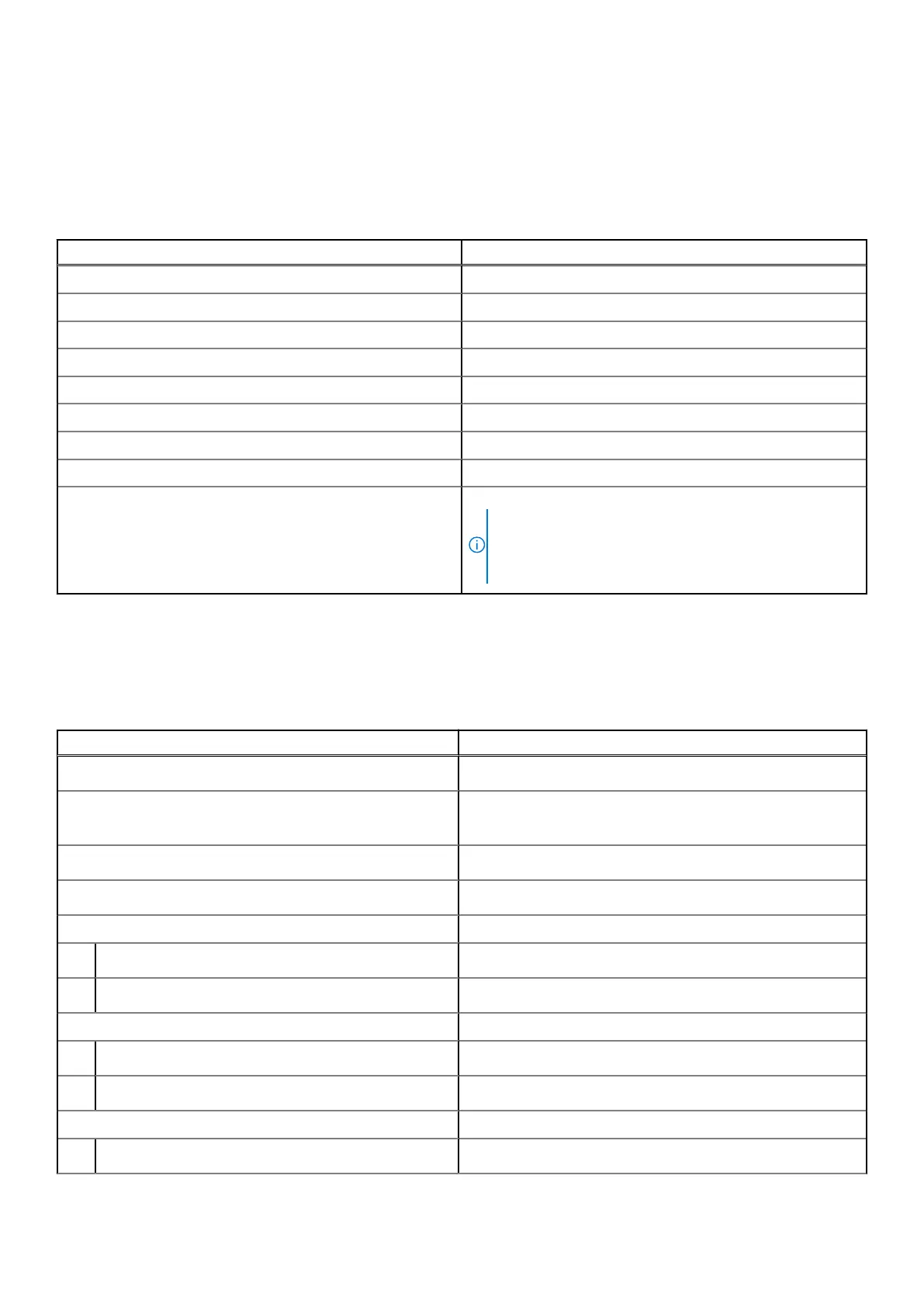
Table 13. List of keyboard shortcuts
Keyboard shortcut Behavior
fn Switch between modes of the capacitive touch panel
fn + B Pause
fn + S Toggle scroll lock
fn + R System request
fn + ctrl + B Break
fn + esc Lock the mode of the capacitive touch panel
fn + left arrow Home
fn + right arrow End
Copilot Launch Copilot in Windows
NOTE: If Copilot in Windows is not available on your
computer, the Copilot key launches Windows Search. For
more information about Copilot in Windows, search in the
Knowledge Base Resource at www.dell.com/support.
Camera
The following table lists the camera specifications of your XPS 16 9640.
Table 14.
Camera specifications
Description Values
Number of cameras
Two
Camera type
● FHD RGB camera
● IR camera
Camera location
Front camera
Camera sensor type
CMOS sensor technology
Camera resolution:
Still image
2.07 megapixel
Video
1920 x 1080 (FHD) at 30 fps
Infrared camera resolution:
Still image
0.23 megapixels
Video
640 x 360 at 15 fps
Diagonal viewing angle:
Camera
81.30 degrees
20 Specifications of XPS 16 9640



 To Next Page