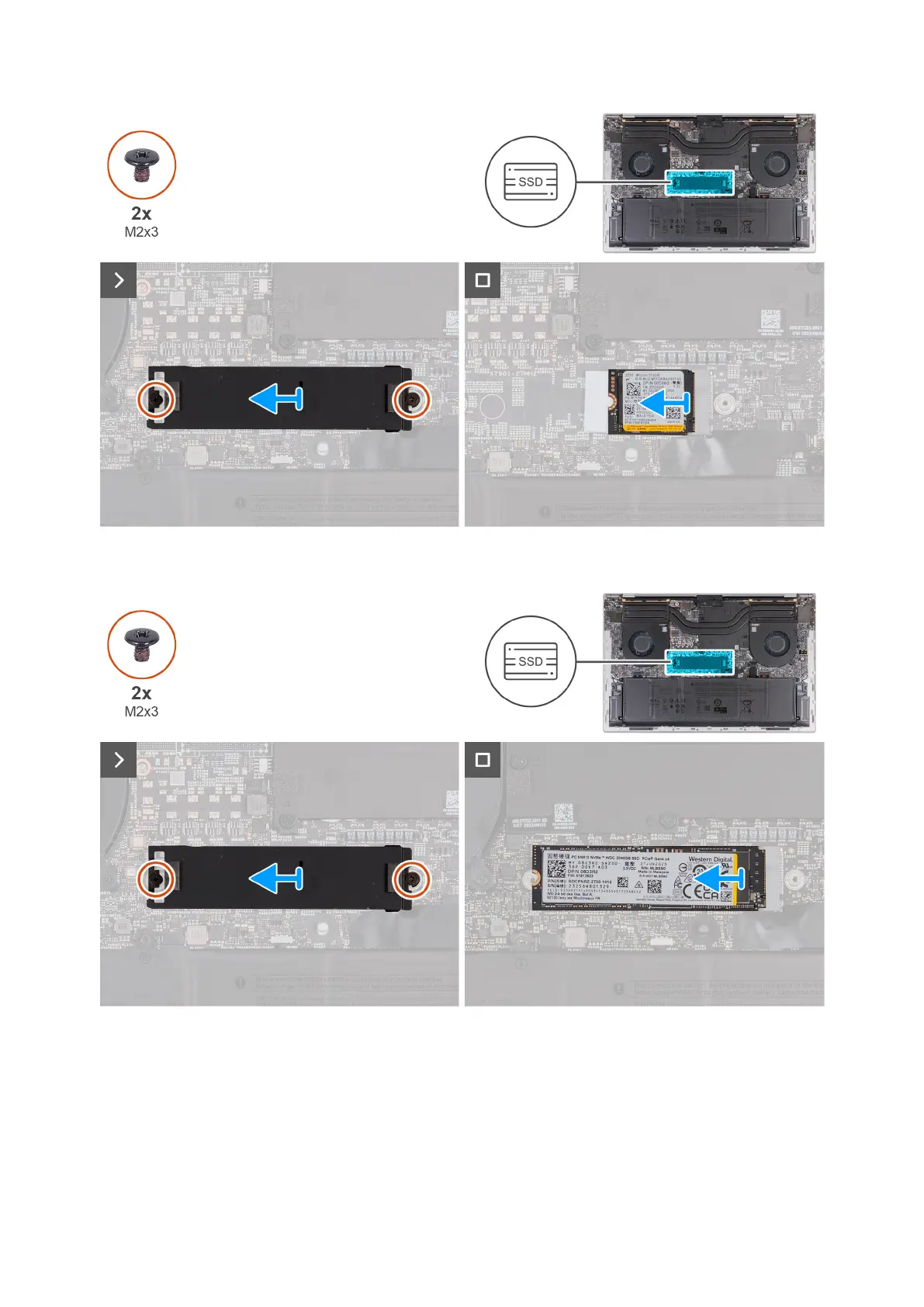
Figure 26. Removing the M.2 2230 solid-state drive
Figure 27. Removing the M.2 2280 solid-state drive
Steps
1. Remove the two screws (M2x3) that secure the thermal shield to the system board.
2. Lift the thermal shield off the solid-state drive.
3. Slide and lift the solid state drive from the solid-state drive slot (SSD1) on the system board.
Removing and installing Field Replaceable Units (FRUs)
49



 To Next Page