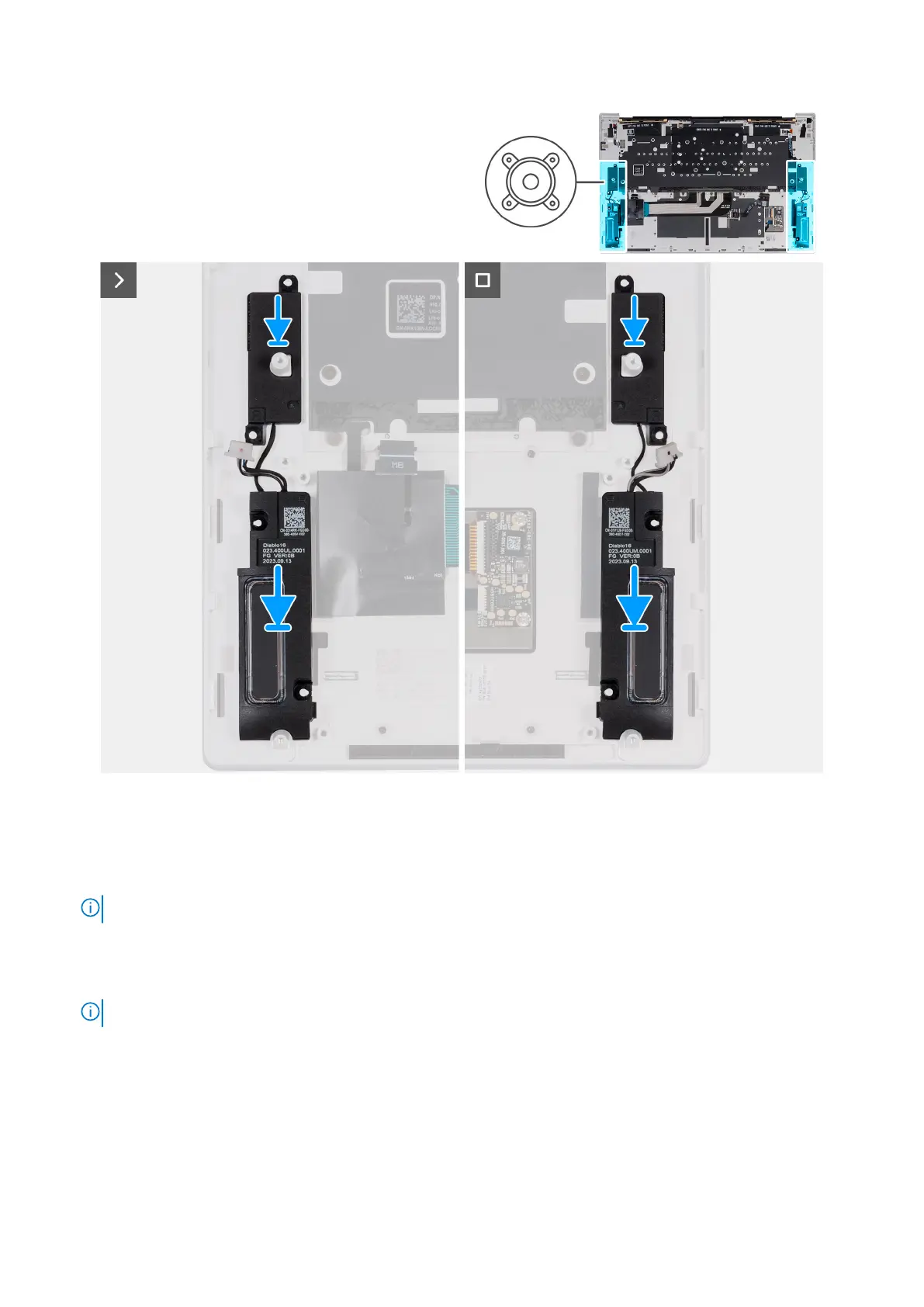
Figure 52. Installing the speakers
Steps
1. Using the alignment posts, place the speaker (R) into the slots on the palm rest and keyboard assembly.
2. Using the alignment posts, place the speaker (L) into the slots on the palm rest and keyboard assembly.
NOTE: Ensure that the alignment posts are threaded through the rubber grommets on the speaker.
Next steps
1. Install the system board.
NOTE: The system board can be installed along with the solid state drive.
2. Install the Type-C brackets.
3. Install the heat sink.
4. Install the fans.
5. Install the battery.
6. Install the base cover.
7. Follow the procedure in After working inside your computer.
Removing and installing Field Replaceable Units (FRUs)
73



 To Next Page