Views of Inspiron 14 5435
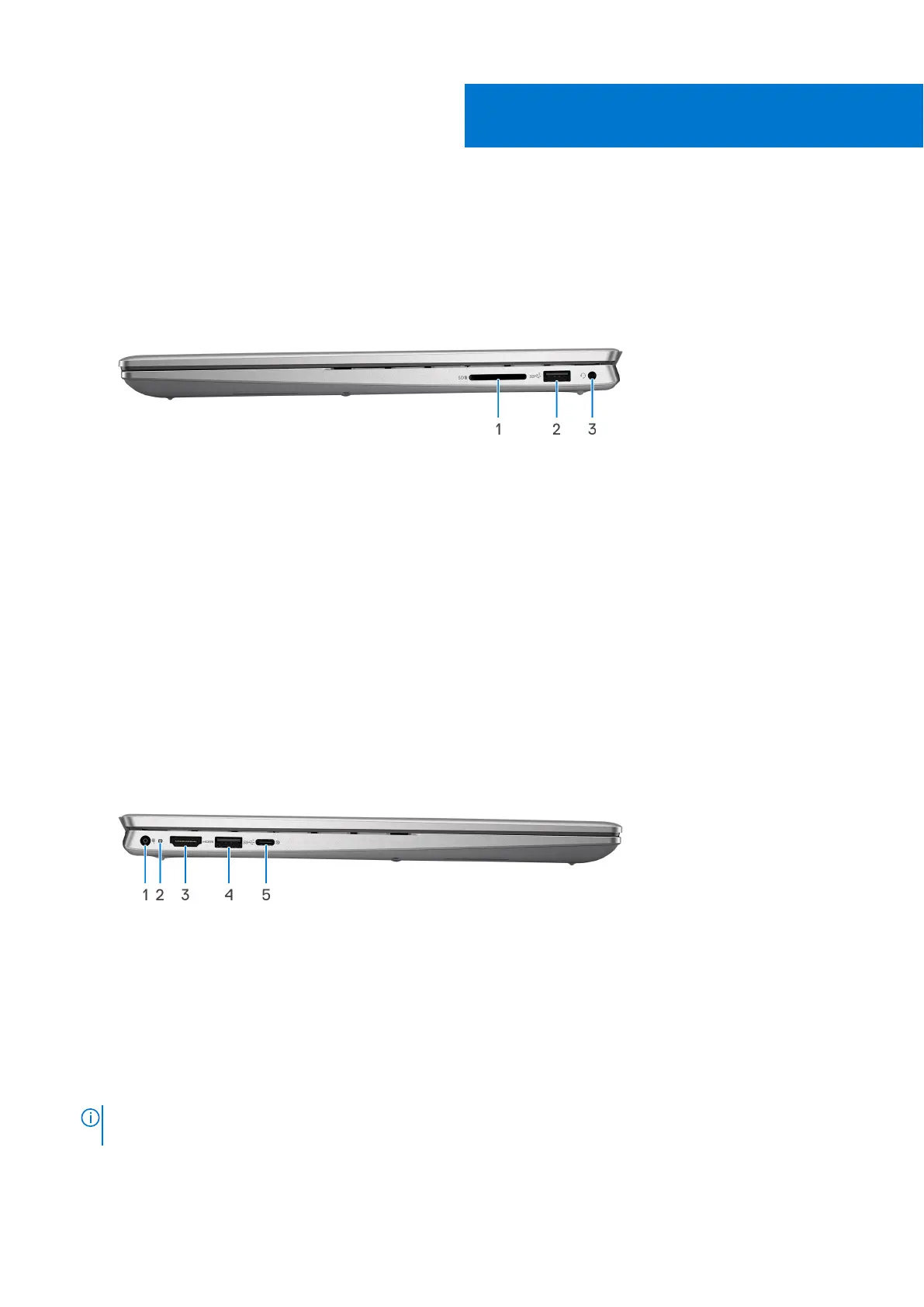
Right
1. SD-card slot
Reads from and writes to the SD card. The computer supports the following card types:
● Secure Digital (SD)
● Secure Digital High Capacity (SDHC)
● Secure Digital Extended Capacity (SDXC)
2. USB 2.0 port
Connect devices such as external storage devices and printers. Provides data transfer speeds up to 480 Mbps.
3. Universal audio port
Connect headphones or a headset (headphone and microphone combo).
Left
1. Power-adapter port (primary power)
Connect a power adapter to provide power to your computer and charge the battery.
2. Power and battery-status light
Indicates the power state and battery state of the computer.
Solid white—Power adapter is connected and the battery is charging.
Solid amber—Battery charge is low or critical.
Off—Battery is fully charged.
NOTE:
On certain computer models, the power and battery-status light are also used for diagnostics. For more
information, see the Troubleshooting section in your computer’s Service Manual.
3. HDMI 1.4 port
1
Views of Inspiron 14 5435 7



 To Next Page