8. Touchpad FPC connector
9. Wireless card connector
10. Speaker cable connector
11. M.2 2230/2280 solid-state drive connector
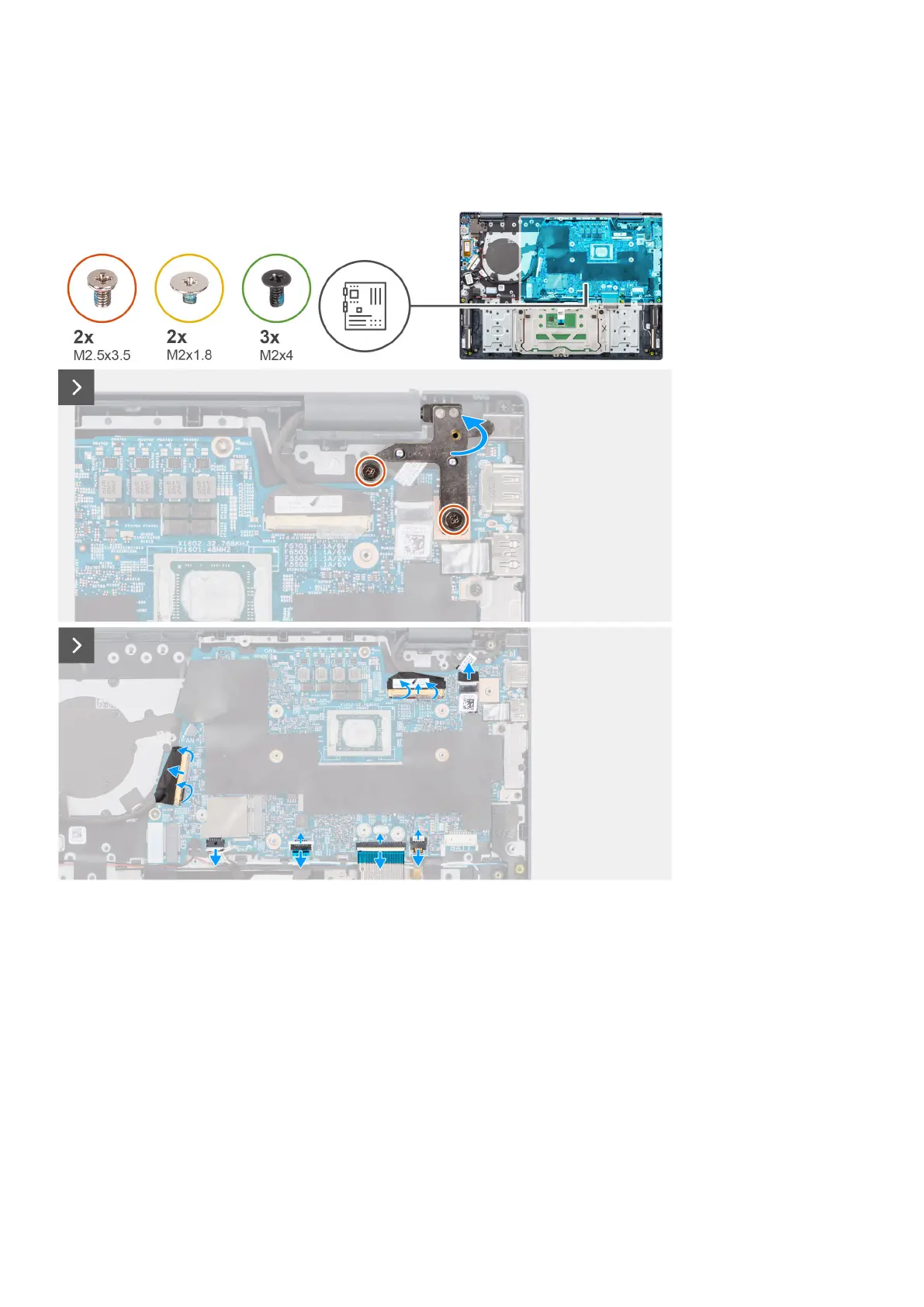
The following images indicate the location of the system board and provide a visual representation of the removal procedure.
Removing and installing Field Replaceable Units (FRUs) 77



 To Next Page