Removing The Display Assembly 19
1. Follow the procedures in
Before Working On Your Computer
.
2. Remove the
battery
.
3. Remove the
hinge cover
.
4. Remove the
keyboard
.
5. Remove the
palm rest
.
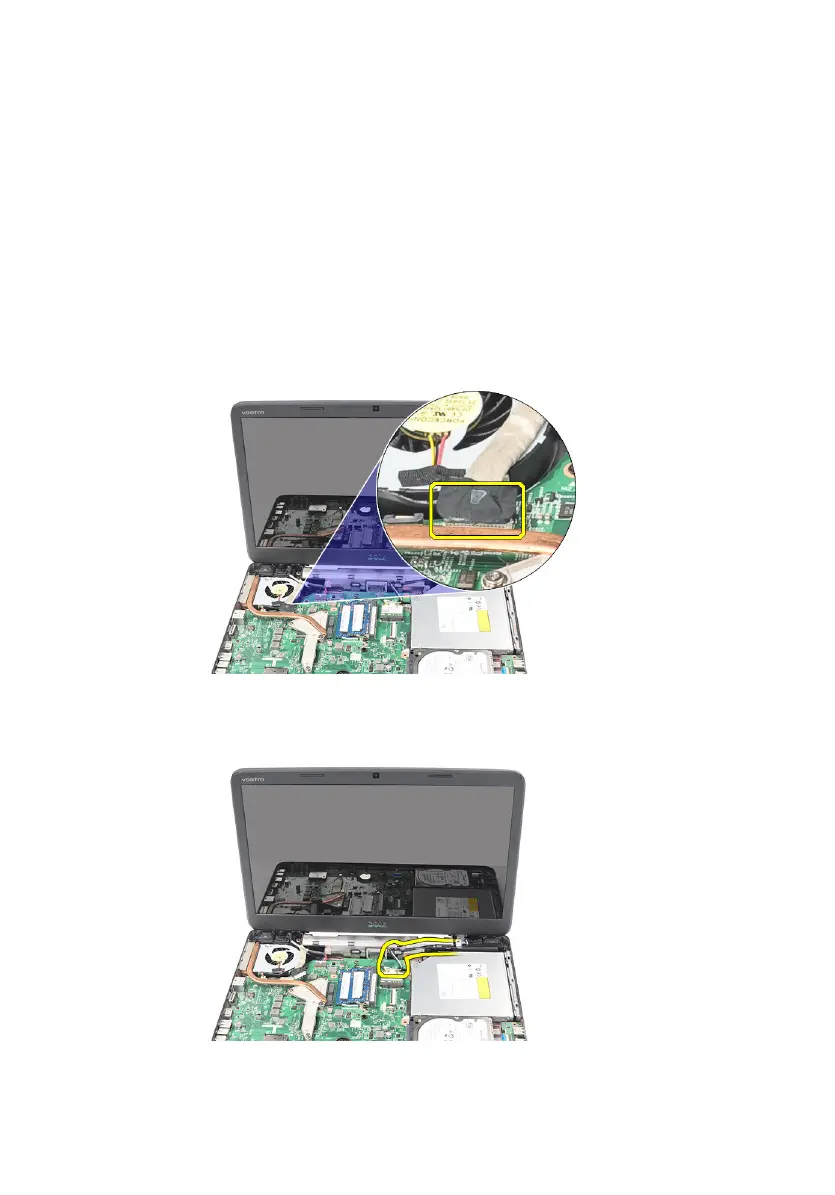
6. Disconnect the LVDS cable from the system board.
7. Disconnect the WLAN antennae and release it from the routing channel on
the chassis.
8. Remove the screws that secure the left and right hinges.
51



 To Next Page