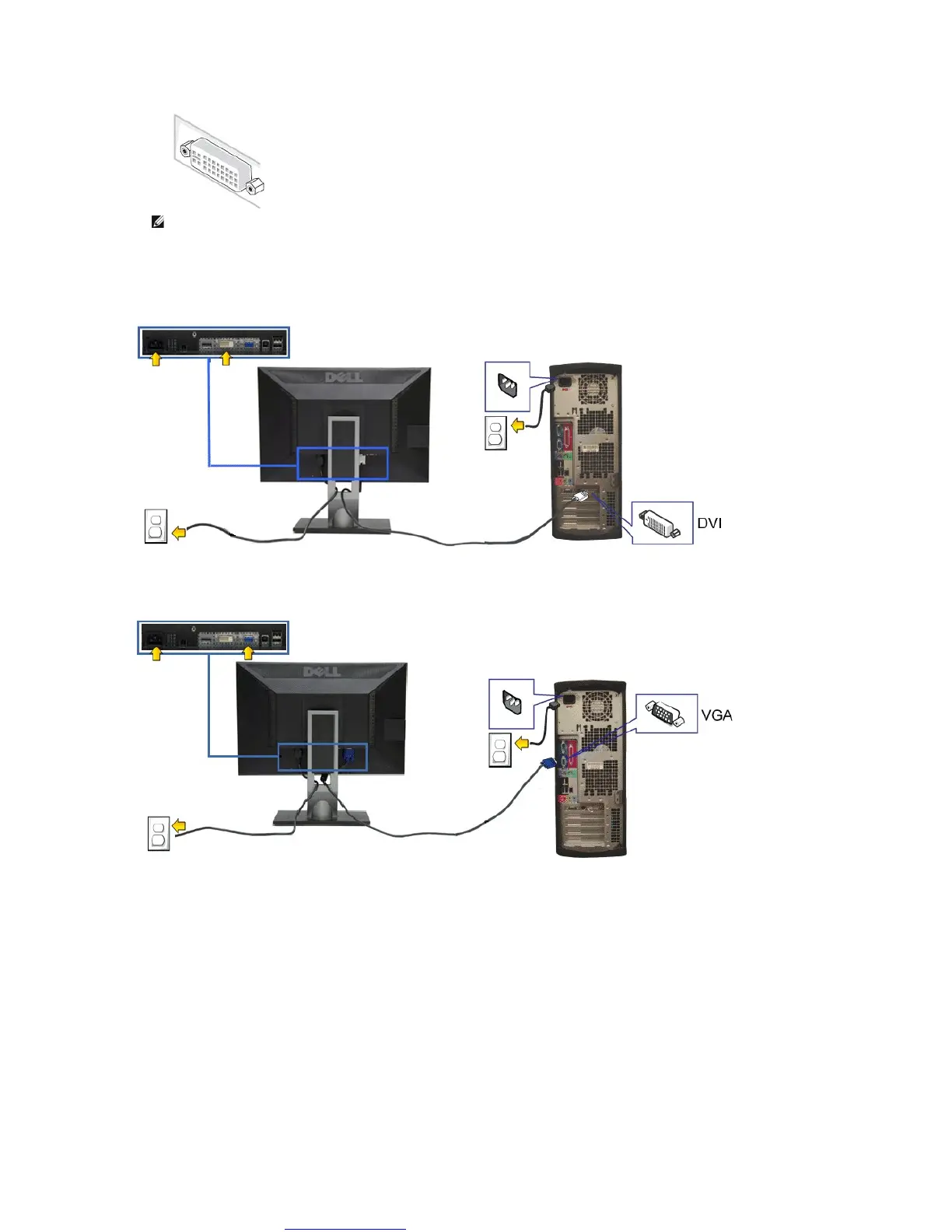
2. Connect the white (digital DVI-D) or the blue (analog VGA) or the black (DisplayPort) display connector cable to the corresponding video port on the back
ofyourcomputer.Donotusethethreecablesonthesamecomputer. Use all the cables only when they are connected to three different computers with
appropriate video systems.
Connecting the white DVI cable
Connecting the blue VGA cable
Connecting the black DisplayPort cable
NOTE: Do not connect the blue VGA , the White DVI and the black DisplayPort cables to the computer at the same time. All monitors
ship with the VGA (blue) cable attached by default.



 To Next Page