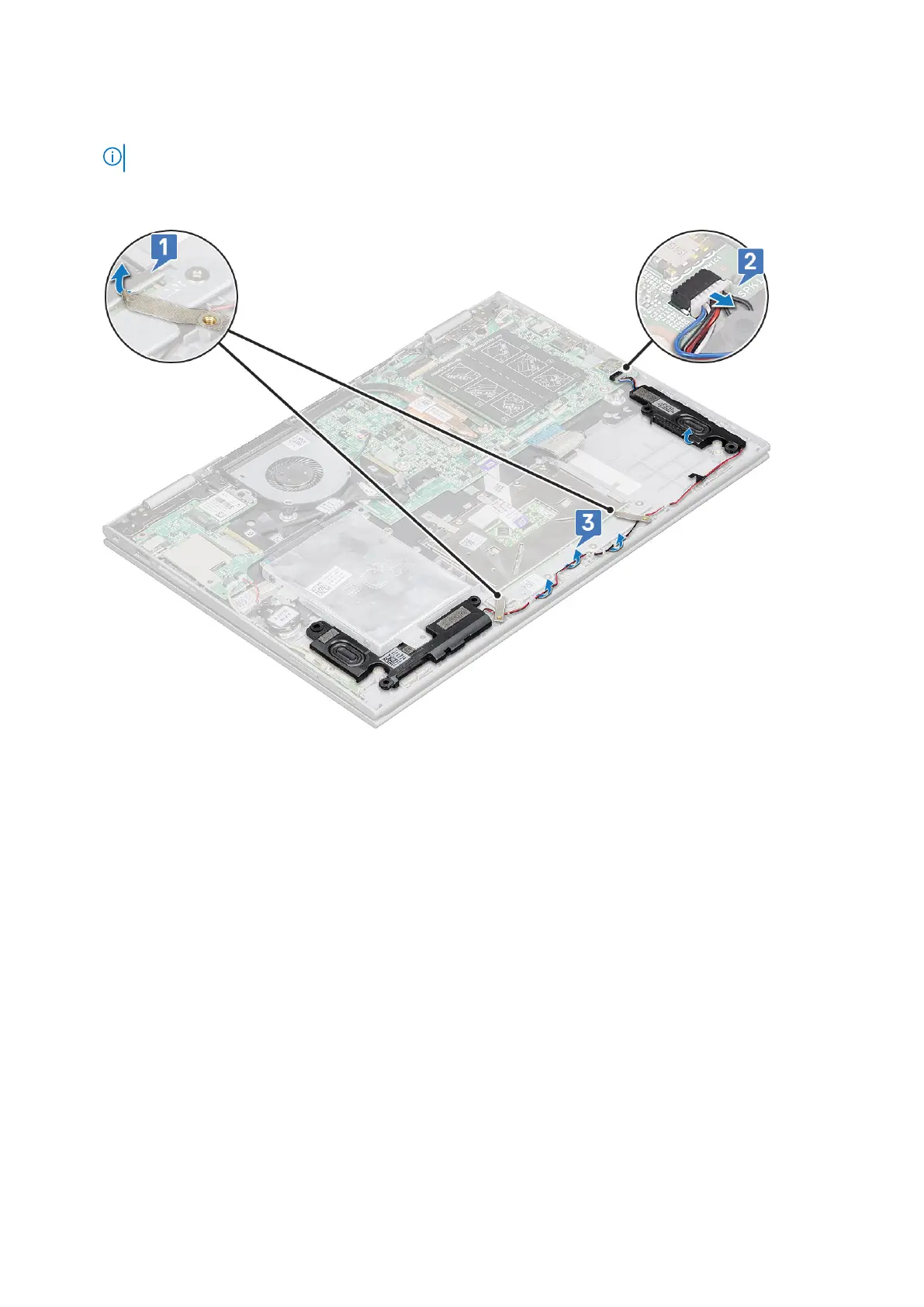
3. To remove speakers:
a. Remove the mylar tape that secures the speaker cable on the system board [1].
NOTE: Lift the latch and release the LED board cable from the laptop, before un-routing the speaker cable.
b. Disconnect the speaker cable from the connector on the system board [2].
c. Release the speaker cables from the routing clips on the system board [3].
d. Lift the speakers away from the laptop.
●
26
Removing and installing components



 To Next Page