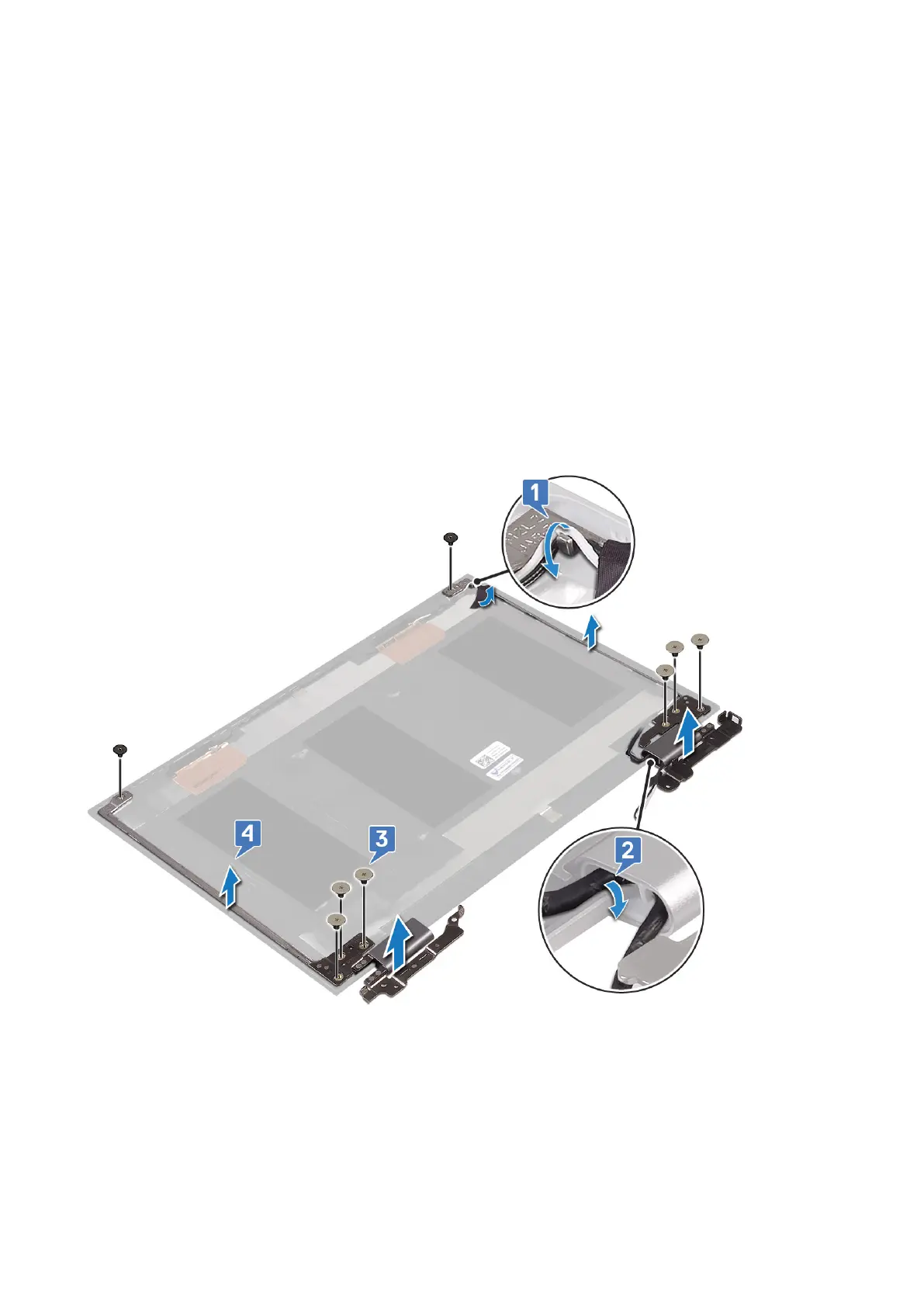
Display hinges
Removing the display hinges
Steps
1. Follow the procedure in Before working inside your computer.
2. Remove the:
a. base cover
b. battery
c. display assembly
d. display panel
3. To remove the display hinges:
a. Release the WLAN antenna cables from the right hinge bracket [1].
b. Release the display cable and touch screen board cable from under the display hinge [2].
c. Remove the six (M2.5x5) and two (M2x2) screws from the left and right hinges[3].
Installing the display hinges
Steps
1. Place the display hinges on the display back cover assembly.
2. Install the six (M2.5x5) and two (M2x2) screws to the left and right hinges.
3. Route the display cable and touch screen board cable to the display hinge.
Removing and installing components
37



 To Next Page