Installing the display assembly
Steps
1. Align the display assembly with the screw holders on the laptop chassis.
2. Tighten the screw to secure the display assembly to the laptop chassis.
3. Close the display and turn the laptop over.
4. Connect the display and touch screen board cables to the connectors on the system board.
5. Affix the adhesive tapes to secure the display and touch screen board cables.
6. Install the:
a. WLAN card
b. battery
c. base cover
7. Follow the procedure in After working inside your computer.
Display panel
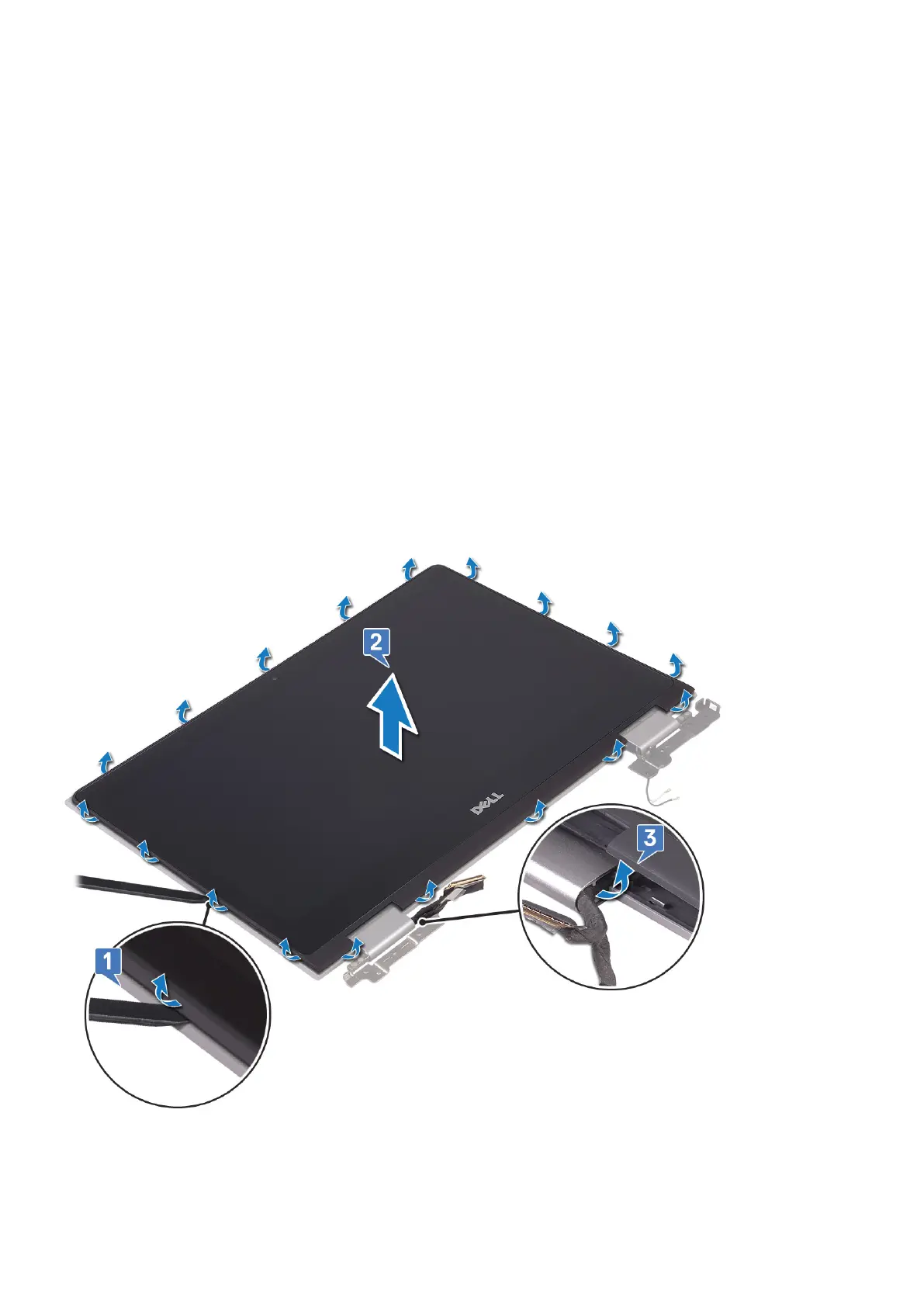
Removing the display panel
About this task
Removing and installing components
35



 To Next Page