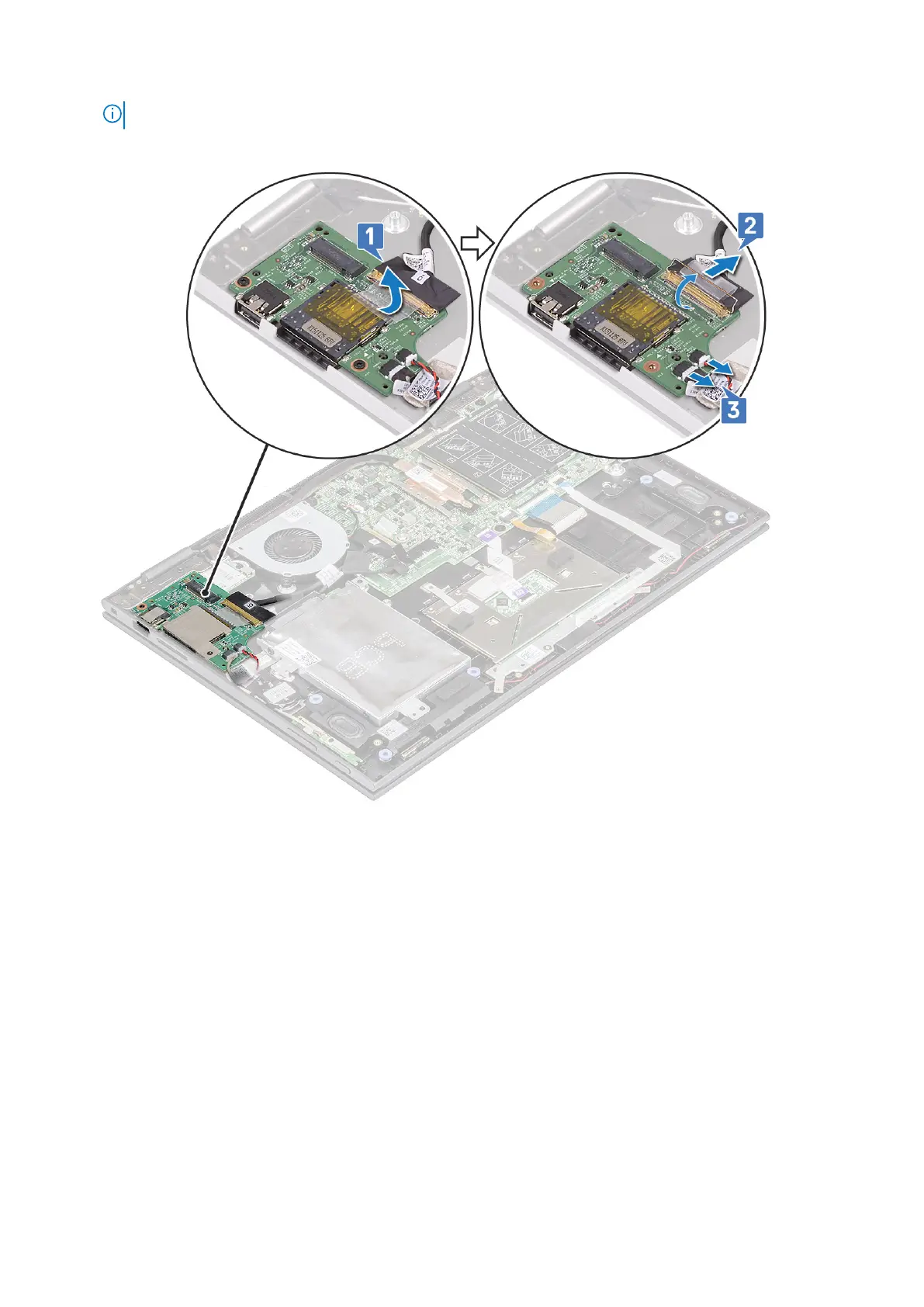
NOTE: Ensure to pull the copper lever by an angle 15° to 20°, to avoid damage to the connector copper pins.
c. Disconnect the coin cell battery and power and volume button board cables from the I/O board [3].
d. Remove the M2x3.5 screw (2) that secures the I/O board to the laptop chassis [1].
e. Lift the I/O board from the laptop chassis [2].
28
Removing and installing components



 To Next Page