Steps
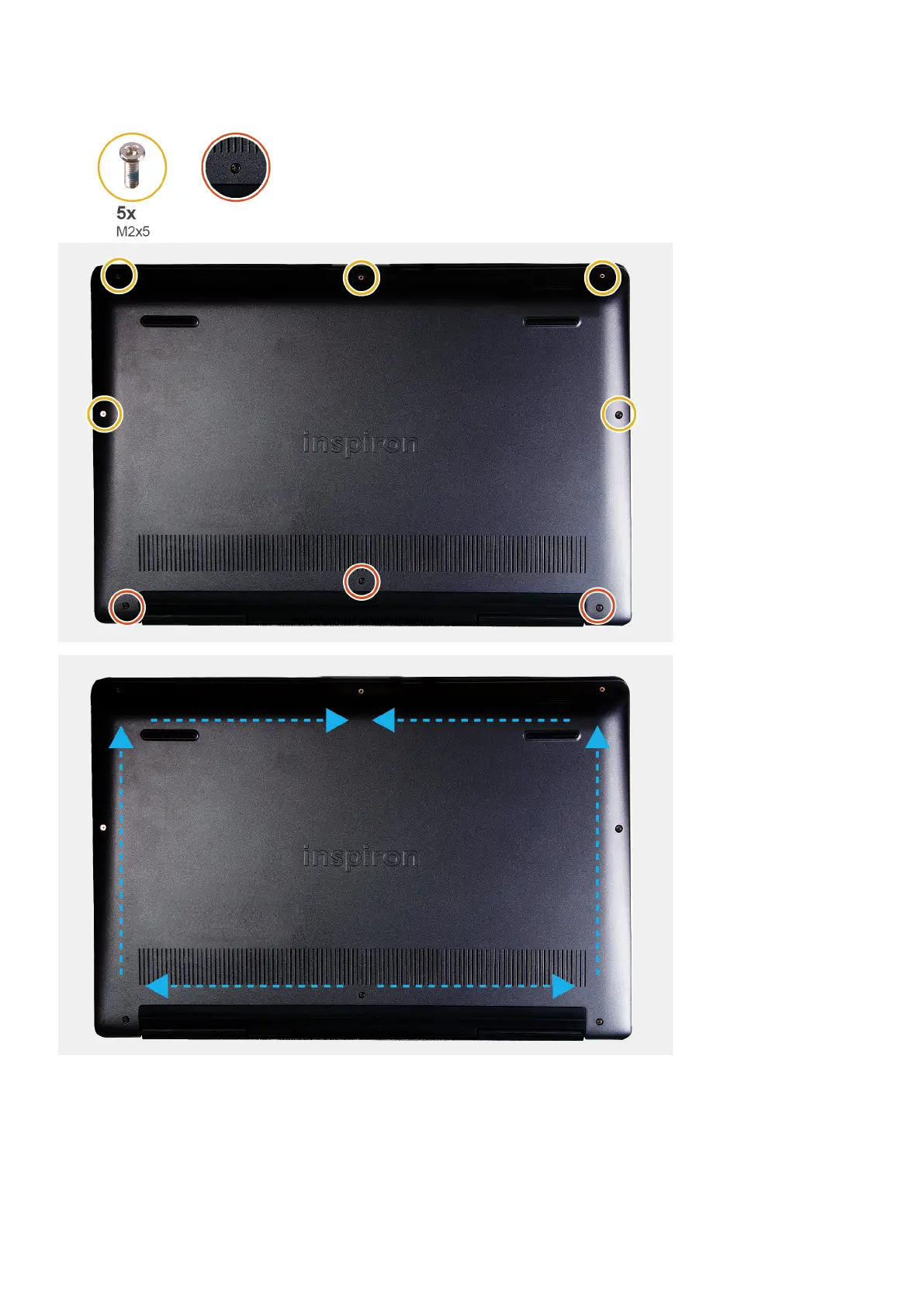
1. Remove the five screws (M2x5) that secure the base cover to the palm-rest and keyboard assembly.
2. Loosen the three captive screws that secure the base cover to the palm-rest and keyboard assembly.
3. Pry open the base cover starting from the top-center edge of the palm-rest and keyboard assembly and follow the "guidance
line" indicated in the image to remove the base cover.
12
Removing and installing components



 To Next Page