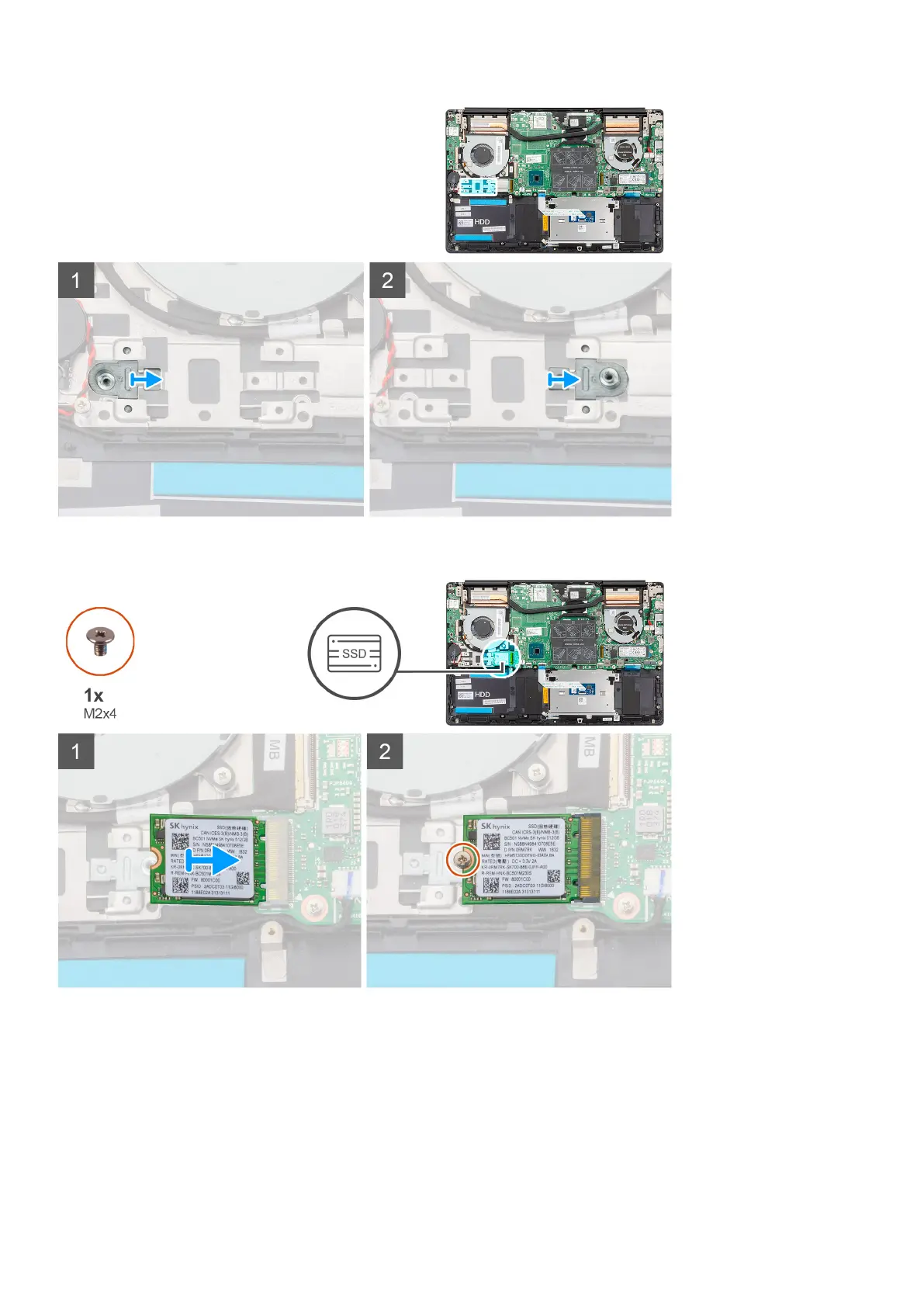
The figure indicates the location of the M.2 2230 solid-state drive and provides a visual representation of the installation
procedure:
Steps
1. If required, align the solid-state drive bracket to accommodate the M.2 2230 solid-state drive.
2. Align the notch on the solid-state drive module with the tab on the solid-state drive slot.
3. Slide the solid-state drive module firmly into the solid-state drive slot at an angle.
4. Replace the screw (M2x4) that secures the solid-state drive module to the palm-rest and keyboard assembly.
Next steps
1. Connect the battery cable.
26
Removing and installing components



 To Next Page