Memory module
Removing the memory module
Prerequisites
1. Follow the procedure in Before working inside your computer.
2. Remove the base cover.
About this task
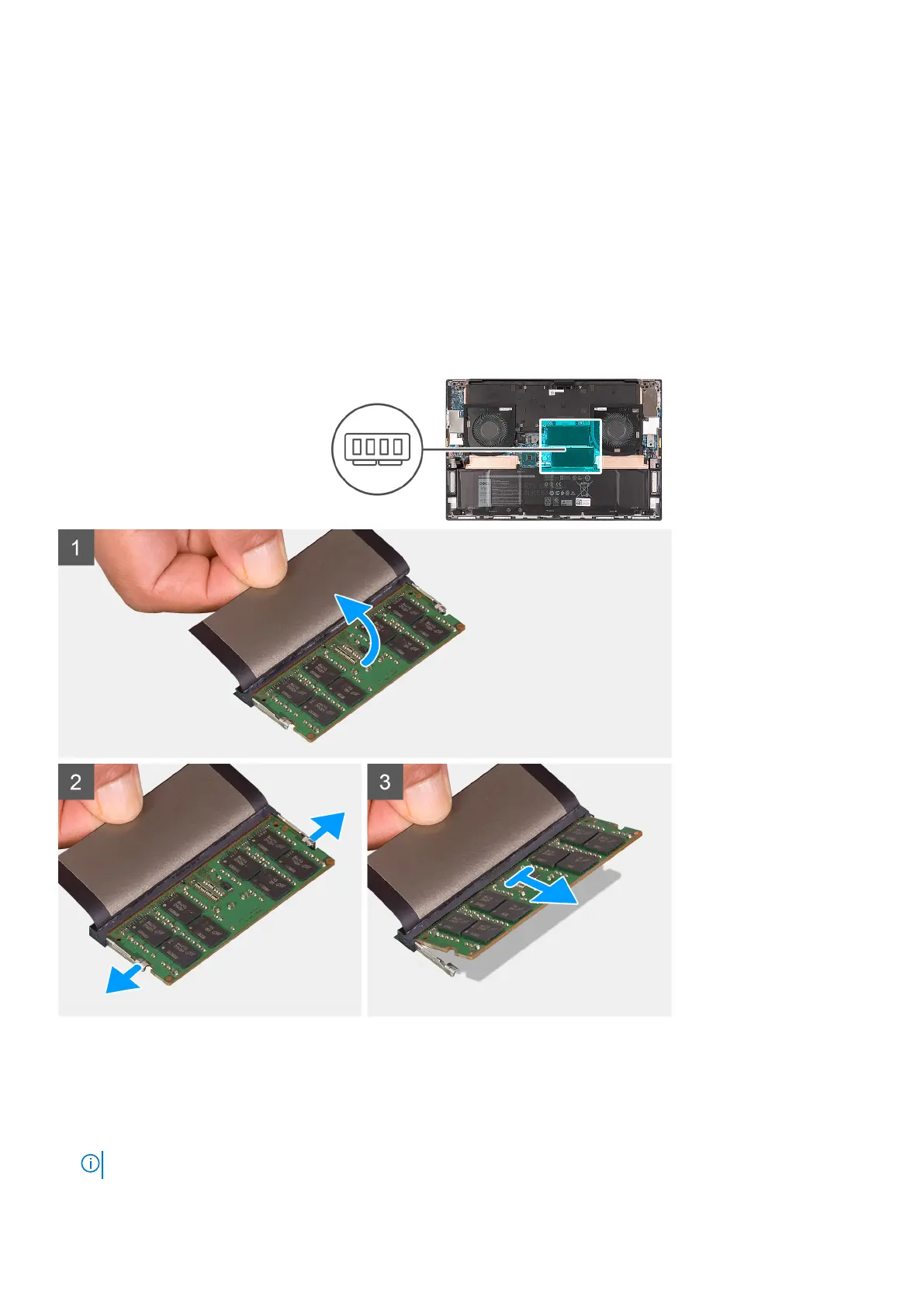
The following image indicates the location of the memory modules in the XPS 17 9710 and provides a visual representation of the
removal procedure.
Steps
1. Lift the Mylar to access the memory module.
2. Use your fingertips to carefully spread apart the securing-clips on each end of the memory-module slot until the memory
module pops up.
3. Slide and remove the memory module from the memory-module slot.
NOTE: Repeat step 1 to step 3 to remove any another memory module installed in your computer.
Removing and installing components 19





 To Next Page