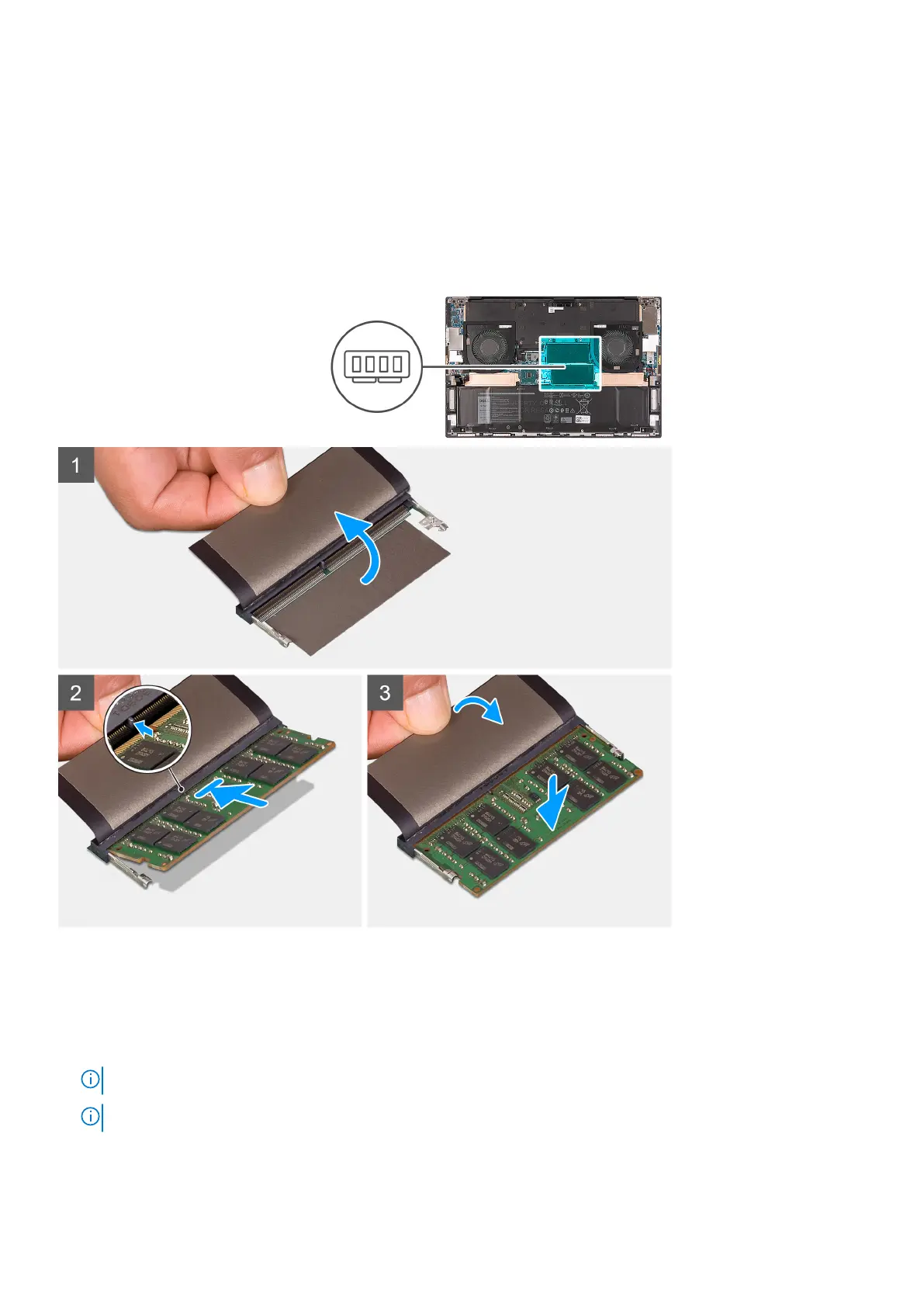
Installing the memory module
Prerequisites
If you are replacing a component, remove the existing component before performing the installation procedure.
About this task
The following image indicates the location of the memory modules in the XPS 17 9710 and provides a visual representation of the
installation procedure.
Steps
1. Lift the Mylar to access the memory-module slot.
2. Align the notch on the memory module with the tab on the memory-module slot.
3. Slide the memory module firmly at an angle, into the memory-module slot.
4. Press the memory module down until it clicks into place.
NOTE: If you do not hear the click, remove the memory module and reinstall it.
NOTE: Repeat step 1 to step 4 to install any other memory module in your computer.
20 Removing and installing components





 To Next Page