8 │ Attaching the ferrite core
Attaching the ferrite core
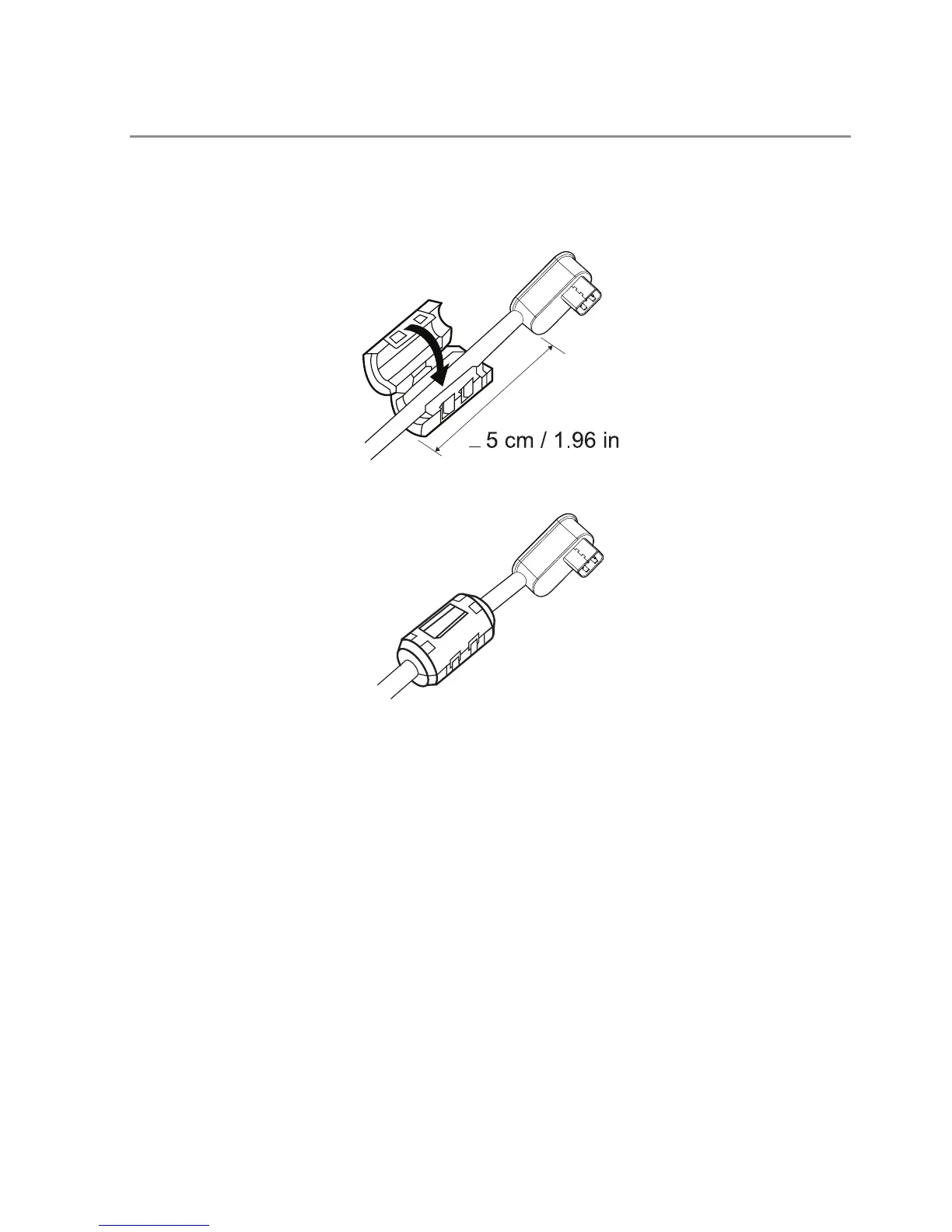
In order to reduce electromagnetic interference, attach the supplied ferrite core to the
power-output cable connected to your laptop.
1 Open the the ferrite core.
2 Clamp the core around the power-output cable as shown in the illustration.
<
3 Close the ferrite core, snapping the small latches back together.



 To Next Page