98 Installing System Components
4
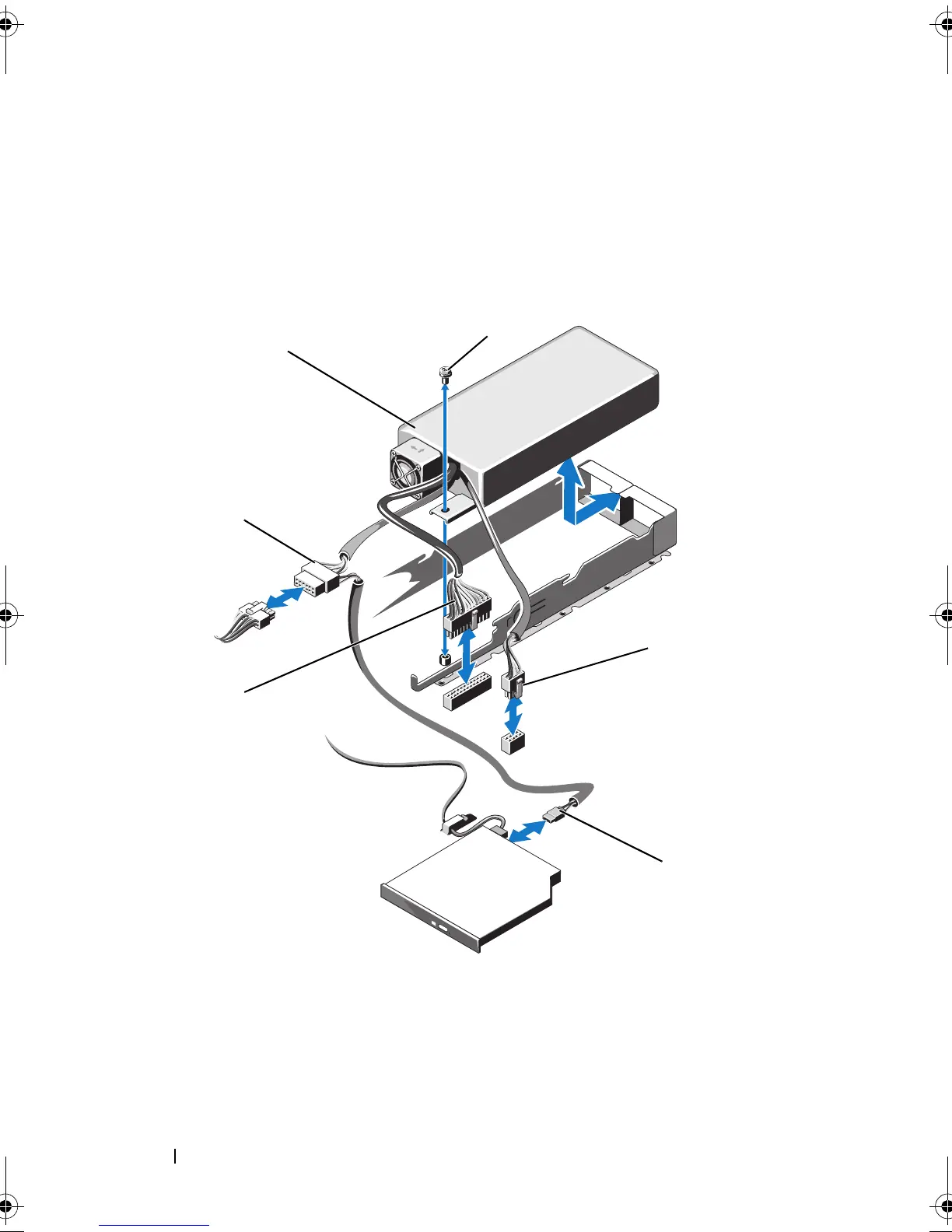
Disconnect all the power cables from the power supply to the system
board, hard drives and optical drive. See Figure 3-11.
5
Loosen the screw securing the power supply to the chassis and lift the
power supply to remove it from the chassis. See Figure 3-11.
Figure 3-11. Removing and Installing a Non-Redundant Power Supply
1 power supply 2 screw
3 power cable 8 pins 4 ODD power cable
5 power cable 24 pins 6 SATA power cable
R415HOM.book Page 98 Friday, September 24, 2010 9:37 AM










 To Next Page