Dell
PowerEdge T310 Technical Guide 23
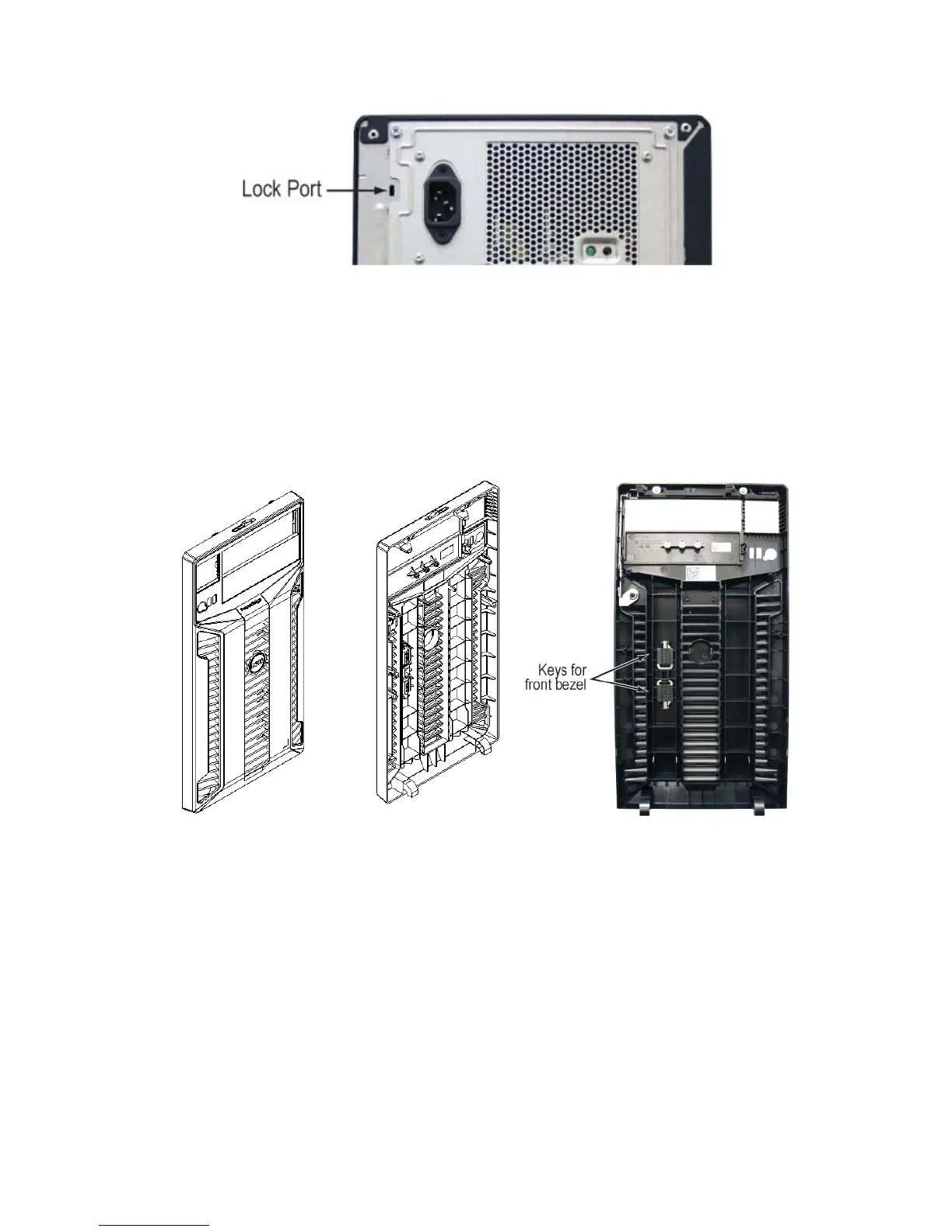
Figure 14. Lock Port on Back of Chassis
A lock port located on the back of the chassis provides security for the entire system.
4.11.2 Bezel
Keys for the PowerEdge T310 are stored on the inside of the bezel.
Figure 15. Bezel and Key Storage
4.11.3 Hard Drive Access
Hot-Plug hard drives are only accessible by opening the bezel, thus locking the bezel secures the hard
drives.
Cabled hard drives are only accessible by opening the side cover.













 To Next Page