System Information Guide 23
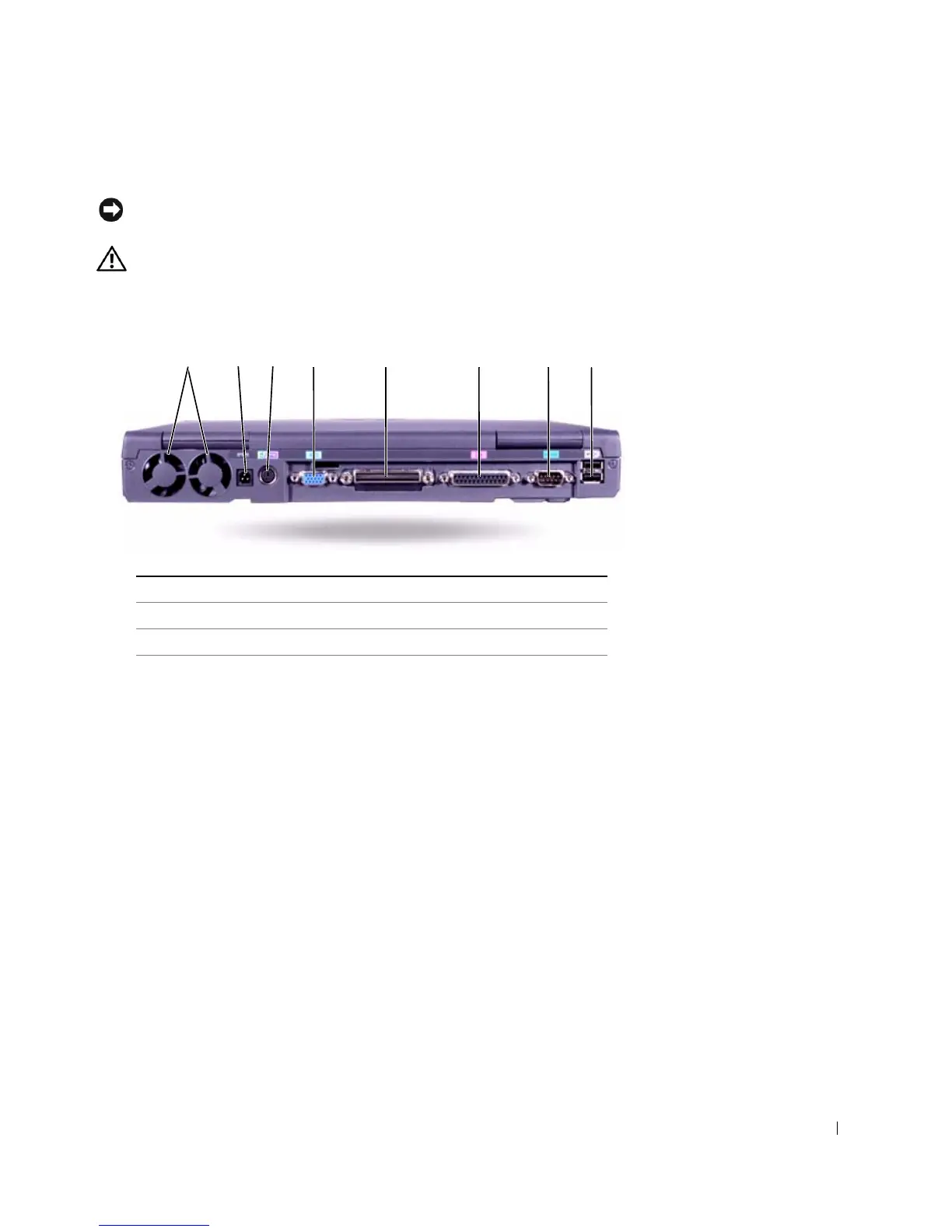
Back View
NOTICE: To avoid damaging the computer, wait 5 seconds after turning off
the computer before you disconnect an external device.
CAUTION: Do not block, push objects into, or allow dust to
accumulate in the air vents. Doing so can damage the computer or
cause a fire.
1 fans (2) 5 docking connector
2 AC adapter connector 6 parallel connector
3 PS/2 connector 7 serial connector
4 video connector 8 USB connectors (2)
1 2 3 4 5 6 7 8













 To Next Page